Operational Technology Access
Operational Technology Access for Shared Factory-Floor PCs
Identify the operator. Control access. Plan for the application that must keep running.
Secure a factory-floor PC that must stay logged in by separating the account running the application from the person authorized to use it.
Credenti brings badge authentication and individual access records to supported shared Windows workstations. Operators can establish their own identity around a shared account; preserving a specific production application through handoff depends on the application and session configuration.
Discuss your OT access workflow
When a production PC cannot follow the usual login-and-logout routine
Operators rotate, but a Windows session, HMI display or legacy application may need to remain active around the clock. A shop-floor PC may use a generic account—sometimes described as a dedicated service account—because the application cannot support separate user sessions.
Leaving that workstation open creates an accountability gap: the account name does not identify the person using it. Switching to a different Windows desktop may also lose the working context the next operator needs. The challenge is to control each person's access while preserving the production state required for the next handoff.
An HMI without a keyboard or mouse adds another obstacle: entering credentials on a touchscreen can slow access to the monitoring and control interface. Operators need a practical way to identify themselves at the station, using the credentials they already carry.
Badge tap-in, tap-out and handoff on the production floor
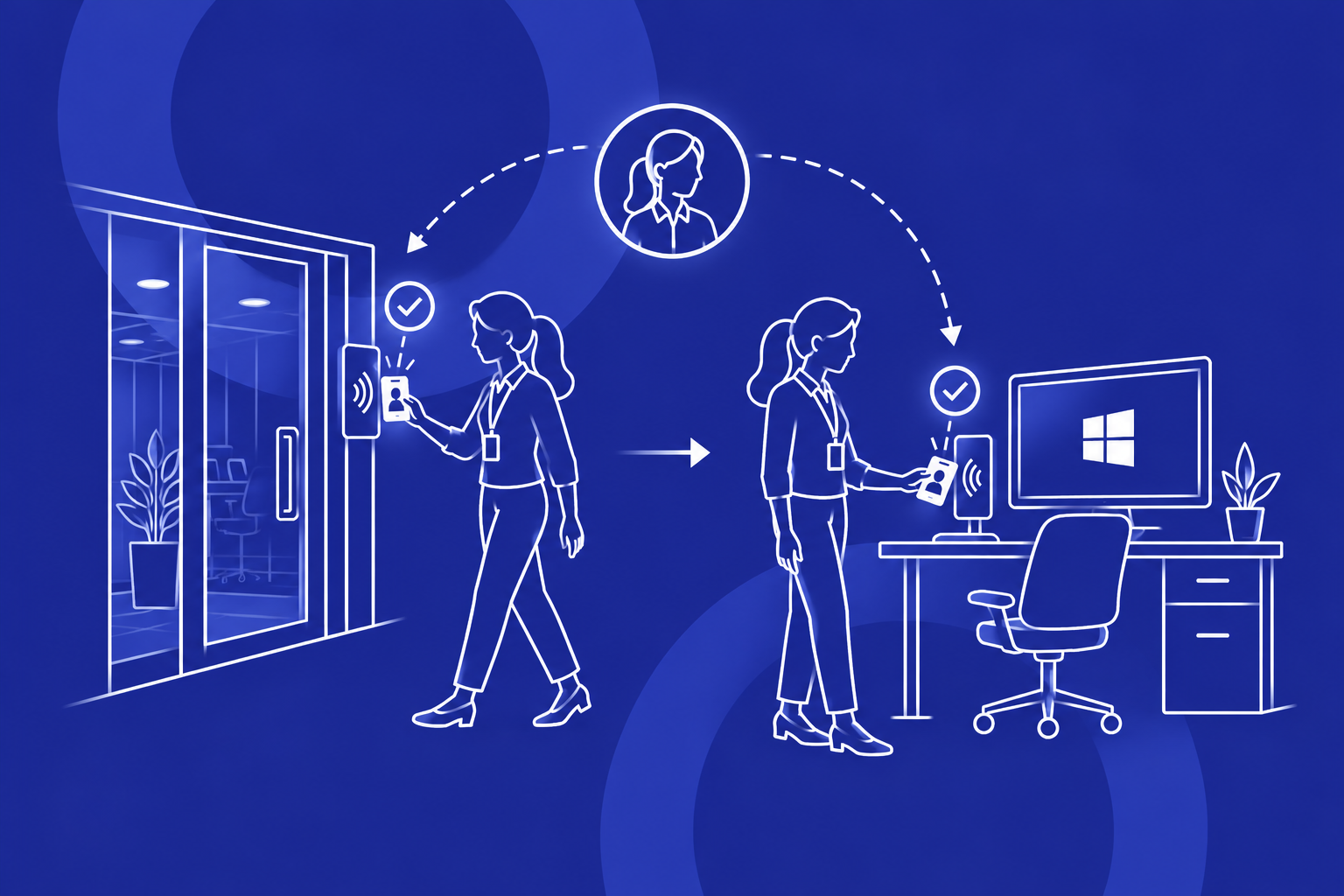
Credenti Tap supports a Windows autologon workflow that locks access until an enrolled user authenticates with a badge. It also provides badge-based session controls and identity-linked access logging. For a station with a persistent application, the handoff connects the arriving operator to the working state they need:
- The arriving operator taps in. An enrolled badge identifies the person requesting access. Authentication and workstation access policy determine whether they can use the station.
- The operator uses the required application. Depending on the station, this may be a personal Windows session or an existing shared session. The running account and identified operator remain distinct in the shared-session model.
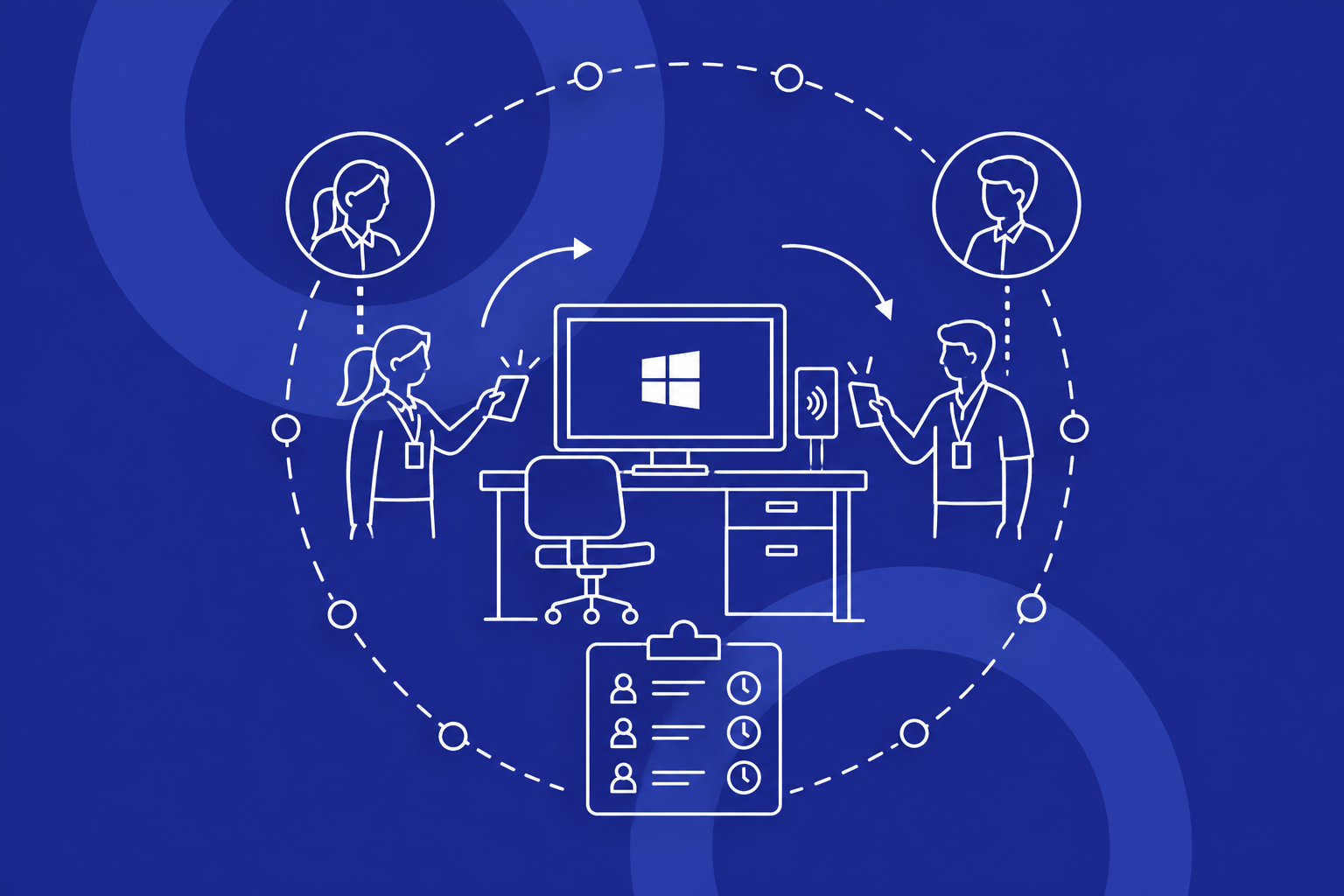
- The operator taps out or hands over. The workstation applies its configured lock or handoff policy. Where the application must remain active, that policy needs to preserve the required session; tap-out does not necessarily mean Windows sign-out.
- The next operator establishes their own identity. Access records help distinguish the people using the station across a shift change.
A rapid handoff is more than a quick badge read: the next person must reach the right working state with the correct access. An evaluation on representative equipment establishes whether the complete transition preserves that working state.
Preserve the working session and identify each operator
Operator handoff versus Windows user switching
The identity model determines what changes when workers take over:
Individual Windows sessions
Identity: Each person uses their own Windows profile.
Handoff: The workstation switches between user sessions. Application state depends on each session and application.
Operator attribution on a shared session
Identity: The running account stays separate from the identified operator.
Handoff: The access workflow establishes the next operator's identity while the required account and application context need to persist.
The second model is the relevant requirement when logout would interrupt work. Preserving the required Windows and application session without sign-out, restart or application relaunch depends on the supported configuration and application behavior.
Operator identification does not change the identity inside every application. If a production system still records transactions under a shared application account, those records need separate consideration.
Unattended access and running processes
When someone walks away, the workstation needs a defined access state. That does not necessarily mean terminating the account or application underneath it.
A station's policy should distinguish a deliberate tap-out, inactivity and direct handoff to another operator. Maintenance and recovery access also need an authorized path. Credenti session management provides controls for shared environments; the correct policy depends on which sessions must remain active.
Session controls should protect unattended access while preserving the application state and visibility operators need. The appropriate policy depends on how the station displays alarms, exposes controls and supports operator handoff.
Who accessed the station—and what the record proves
A shared account name tells you which account was active. An individual access record adds the person associated with workstation access.
Credenti's audit logging capabilities associate access events with identity and context such as time, device and authentication method. This helps teams review access across rotating operators and investigate periods of workstation use.
An access record is not automatically a record of every production action. To establish who changed a machine setting or entered an application value, you may also need application or equipment logs correlated with operator access events. Missing handoffs and periods without an identified operator must be accounted for when interpreting the record.
These records help teams review operator access, investigate workstation use and support their audit and accountability processes.
Authentication during a network interruption
Keeping an application running and allowing a new operator to authenticate are different needs. A local application may continue during a network interruption while its usual identity service is unreachable.
Credenti supports offline authentication options for supported Windows deployments. Credenti AlwaysON addresses identity access in disconnected environments and can be relevant where network or identity-provider availability is an operational constraint.
Offline access depends on the identities and policies available locally. The deployment determines which workers can authenticate, how access changes reach the workstation and how access records are collected. A newly disabled badge cannot rely on an immediate cloud update reaching an isolated endpoint.
Intermittent Wi-Fi and a permanently air-gapped network require different administration and recovery arrangements. Continuous operation alone does not mean a station needs an offline deployment.
Where OT operator access matters
These scenarios focus on operator access. For the wider industry context, explore Credenti for Manufacturing.
Shared factory-floor Windows PCs
Multiple workers may use the same station to view instructions, record work or support production. During shift changes and break coverage, the next operator needs access to the right working context. Badge authentication introduces an individual access step without requiring workers to share the account password.
Where a production application uses a shared Windows account, operator identification helps establish who accessed the station while the account remains separate from the person using it. Access records add individual context for later review. The handoff policy determines how interactive access changes and must fit the application state that needs to persist.