
Badge-Based, Passwordless Access for Google Workspace Users
Credenti Tap brings Google Workspace identity into shared workstations, frontline devices, operational environments, and dedicated Tap Stations.Employees simply tap their existing workforce badge to establish their identity - without repeatedly entering usernames and passwords or relying on personal phones.Credenti connects each badge tap to the worker's enterprise identity, applies the appropriate authentication and access policies, and records the activity for centralized visibility.
One identity. One badge. Secure access across the workplace.
Extend Google Workspace Identity to the Frontline
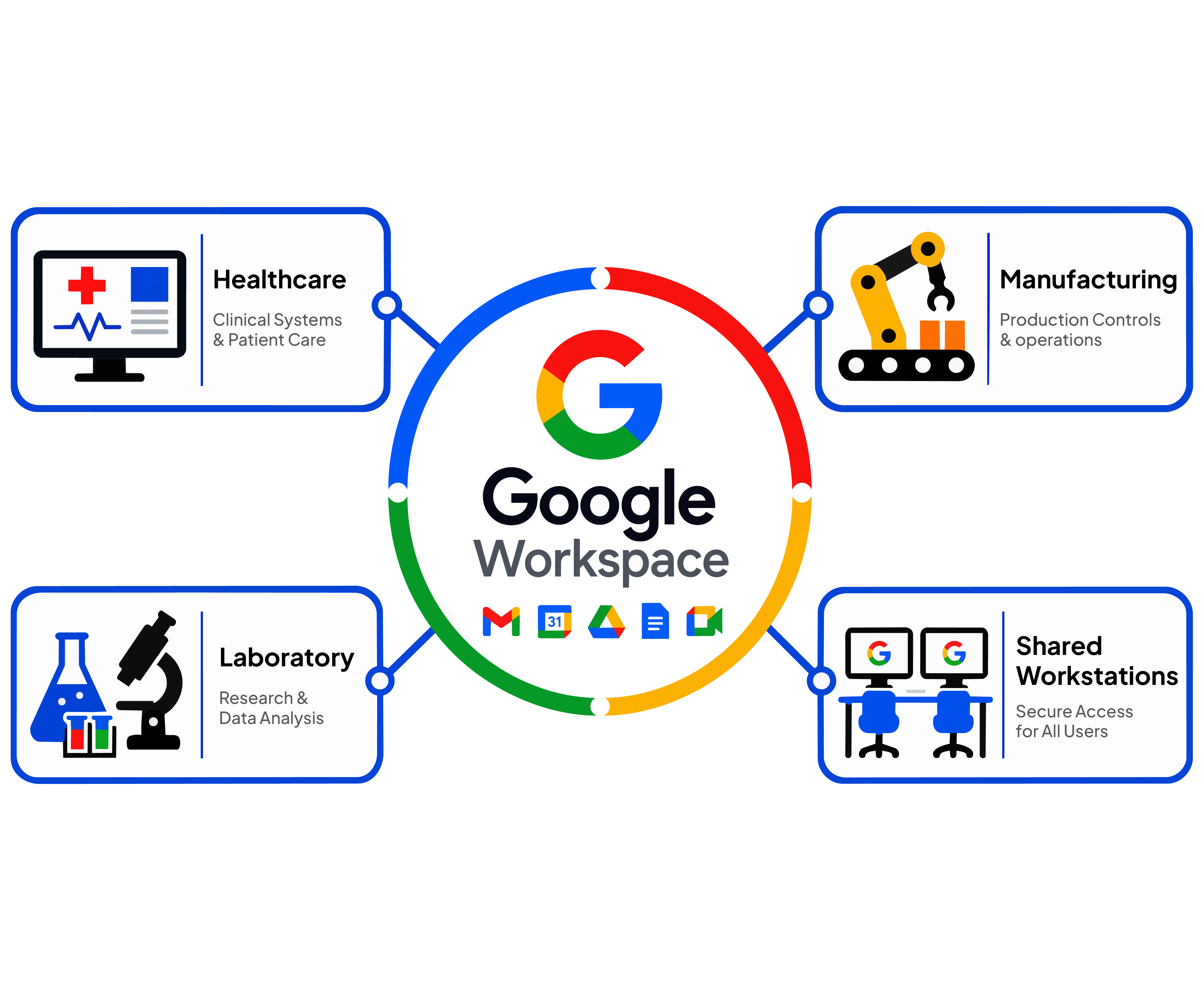
Google Workspace provides organizations with a centralized identity for accessing Google applications and connected business services. But many operational environments extend far beyond a traditional employee signing into a browser from a dedicated laptop. Healthcare workers move between shared workstations. Manufacturing employees access terminals on the production floor. Laboratory personnel interact with dedicated stations and equipment. Warehouse workers use shared devices. Other frontline employees may need to authenticate quickly throughout a shift without stopping to enter credentials. Credenti Tap brings Google Workspace identity into these environments.Workers simply tap an approved employee badge at a Credenti-enabled endpoint. Credenti associates the badge with the worker's enterprise identity and uses Google Workspace as the identity source to deliver a fast, controlled authentication experience.
No repetitive password entry.
No dependence on personal phones.
No separate identity for frontline workflows.
Google Workspace Identity Doesn't Stop at the Browser
Organizations increasingly rely on Google Workspace to manage workforce identities, but many employees perform their jobs on devices and systems that do not follow the traditional one-user, one-laptop model. Shared workstations, operational terminals, kiosks, laboratory stations, production systems, and other frontline devices may be accessed by many employees throughout the day. Traditional authentication creates friction in these environments.Workers may need to repeatedly enter usernames and passwords. Personal phones may not be permitted or practical. Shared credentials reduce accountability. Generic accounts make it difficult to determine who actually performed an action. The result can be slower workflows, frustrated employees, increased credential exposure, and limited visibility into individual user activity.
From Google Workspace Identity to Real-World Workflows
Google Workspace may establish who the employee is, but workers interact with many different systems throughout their day.Credenti Tap helps carry that identity into environments such as:

Instead of creating different authentication experiences for every environment, organizations can provide workers with one familiar action:
Tap the badge you already carry.
Turn the Employee Badge Into a Workforce Authentication Experience
Credenti Tap extends Google Workspace identity into shared-device and frontline workflows using badges employees may already carry.Instead of repeatedly entering credentials, users tap an approved badge at a Credenti-enabled device.
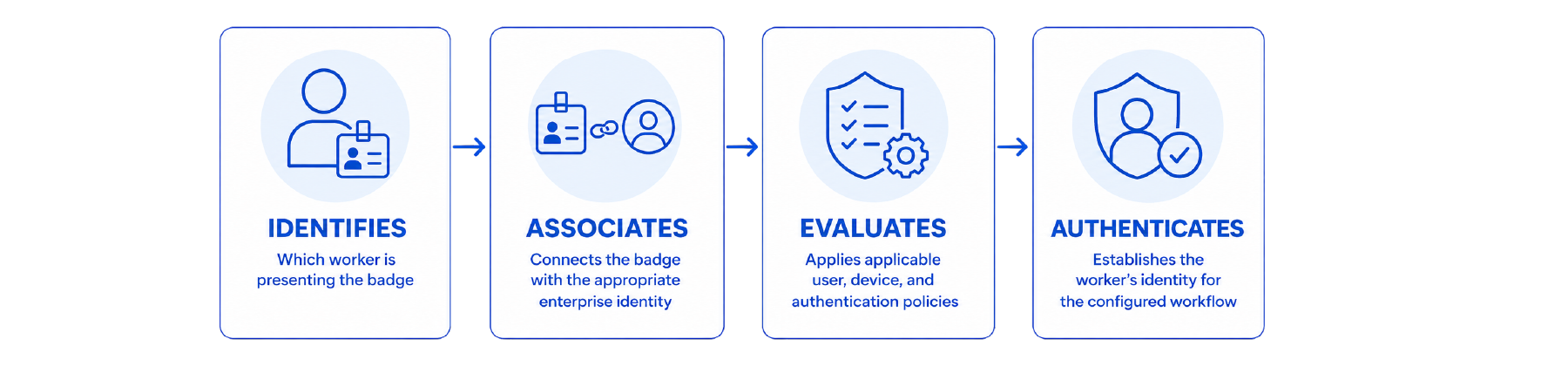
Google Workspace continues to serve as the organization's identity source while Credenti provides the authentication layer required to extend that identity into operational environments.
Tap. Authenticate. Work.
Solving the Frontline Identity Gap
Enterprise identity works well when an employee signs into a browser from their own computer.Frontline and shared-device environments are different.
The Challenge
How Credenti Tap Fixes It

How Credenti Tap Works with Google Workspace

Use Existing Google Workspace Identities
Connect Credenti authentication to existing Google Workspace workforce identities.
Enroll the Worker's Badge
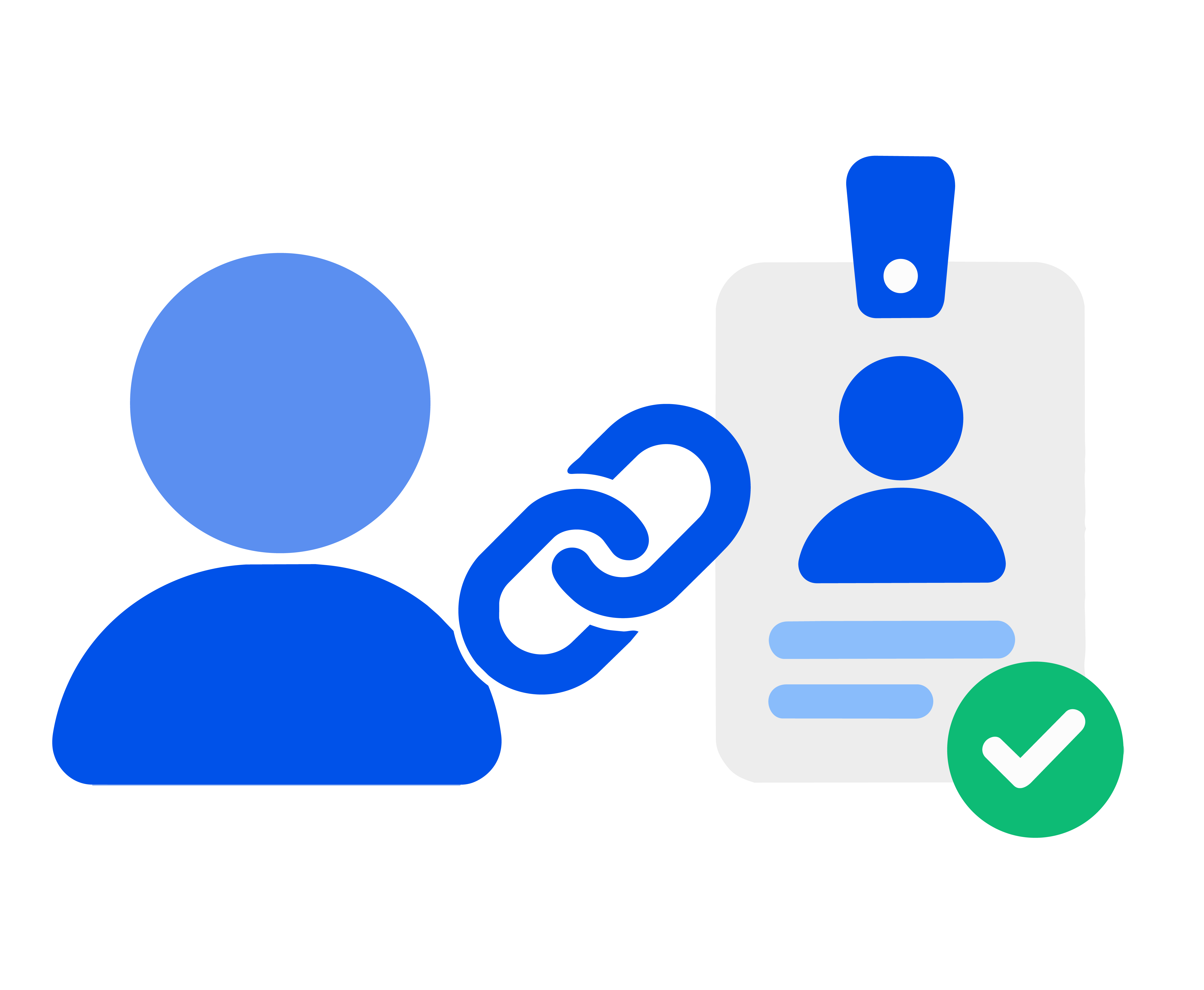
Securely link an approved RFID, NFC, smart card, or employee badge to the worker.

Tap at a Credenti-Enabled Device
The worker taps their enrolled badge at a supported reader or device.
Credenti Verifies the Identity
Authenticate researchers at shared workstations or Tap Stations while maintaining individual accountability.
Access Is Granted
Credenti identifies the worker and validates the user against configured identity policies.

Authentication Activity Is Recorded
Credenti records who authenticated, when, and which device was used.
Key Capabilities
Google Workspace Identity Integration
Use existing Google Workspace workforce identities as part of Credenti authentication workflows, helping organizations extend their established identity infrastructure into shared and frontline environments.
Badge-Based Authentication
Enable workers to authenticate using supported workforce badges rather than repeatedly typing usernames and passwords.Credenti supports multiple badge technologies and reader options, allowing organizations to accommodate existing badge environments and different operational requirements.
Shared Workstation Access
Provide fast authentication for environments where multiple employees use the same workstation throughout a shift.Workers can quickly establish their individual identity without relying on shared credentials.
Shared Workstation Access
Bring enterprise identity to employees who may not have dedicated laptops, corporate smartphones, or traditional knowledge-worker authentication workflows.
Raspberry Pi Tap Stations
Deploy compact Credenti Tap Stations for dedicated authentication and activity-capture workflows in laboratories, manufacturing environments, facilities, and other operational locations.
Centralized Activity Visibility
Capture authentication events within Credenti to provide visibility into the user, time, endpoint, and authentication activity.
Policy-Based Access
Apply authentication and access policies based on the configured user and device context, helping organizations maintain consistent controls across diverse workforce environments.
Existing Badge Support
Organizations can leverage supported badges already carried by employees, reducing the need to introduce another authentication device solely for workforce access.
Built for Shared and Frontline Environments
Healthcare
Enable fast badge-based authentication across shared clinical workstations without repeated password entry.

Manufacturing
Authenticate workers at shared terminals and operational stations using their employee badge.
Warehousing and Logistics
Help workers quickly authenticate across shared devices without relying on shared credentials.

Laboratories and R&D
Authenticate researchers at shared workstations or Tap Stations while maintaining individual accountability.
Retail and Distributed Operations
Extend Google Workspace identities to employees across stores, branches, and distributed locations.

Public Sector and Public Safety
Enable fast access to shared workstations while maintaining individual authentication accountability.
Frequently Asked Questions
What is Credenti Tap for Google Workspace?
Credenti Tap is an enterprise authentication solution that enables organizations using Google Workspace identities to extend authentication into shared workstations, frontline devices, operational terminals, and other Credenti-enabled environments using supported workforce badges.
Can Google Workspace be used as the identity source for Credenti?
Yes. Credenti supports Google Workspace as an identity source for supported Credenti authentication workflows, allowing organizations to connect existing workforce identities with badge-based authentication experiences.
Can employees use their existing badges?
Credenti Tap supports multiple badge and card technologies. Whether an organization's existing badges can be used depends on the badge technology, reader, and deployment configuration.
Credenti can evaluate the existing badge environment and recommend compatible reader options when required.
Does Credenti provide badge readers?
No. Credenti provides the software platform and can recommend compatible badge readers and related hardware. Hardware is purchased separately by the customer through their preferred reseller or hardware provider.
Can Credenti Tap be used on shared workstations?
Yes. Shared workstation environments are a primary use case for Credenti Tap. Individual employees can authenticate using their assigned badge rather than relying on generic or shared credentials.
Can Credenti Tap be used without employee phones?
Yes. Badge-based workflows are particularly useful for employees who do not have corporate phones or work in environments where phones are restricted, inconvenient, or prohibited.
Does Credenti Tap work with Raspberry Pi?
Yes. Credenti Tap can support Raspberry Pi-based Tap Stations for dedicated authentication and operational workflows. These stations can be useful in laboratories, manufacturing facilities, warehouses, and other locations where attaching a reader directly to the primary operational equipment is not desirable.
What information does Credenti record when someone taps?
Depending on the configured workflow, Credenti can provide activity visibility showing the identity associated with the authentication, when the event occurred, and which Credenti-enabled device or Tap Station was used.
Can Credenti Tap help eliminate shared accounts?
Credenti Tap helps organizations establish an individual worker's identity on shared devices and workflows. Whether shared application accounts can be completely eliminated depends on the application and its authentication architecture, but Credenti can significantly improve individual authentication and accountability in shared-device environments.
Is Credenti Tap limited to Google Workspace?
No. Credenti supports multiple enterprise identity environments. Organizations can use Credenti across different identity and authentication architectures while providing consistent workforce authentication experiences.
Bring Google Workspace Identity to Every Worker
Your workforce doesn't exist only inside a browser.
Extend Google Workspace identity to shared workstations, frontline workers, operational environments, and dedicated Tap Stations with Credenti Tap.
Give employees a simpler way to authenticate using the badge they already carry while giving IT greater control and visibility across the enterprise.
Tap your badge. Establish your identity. Get to work.


