Existing Badge Computer Login
Use Your Existing Employee Badge for Computer Login
Can the badge that opens your building also log you into a computer? Yes—when your badge, reader, and computer environment are compatible, Credenti Tap can extend an existing employee credential to workstation login.
Give the building-access card or key fob employees already carry another purpose: access to the computers they use at work.
One employee badge. Door access and computer login.
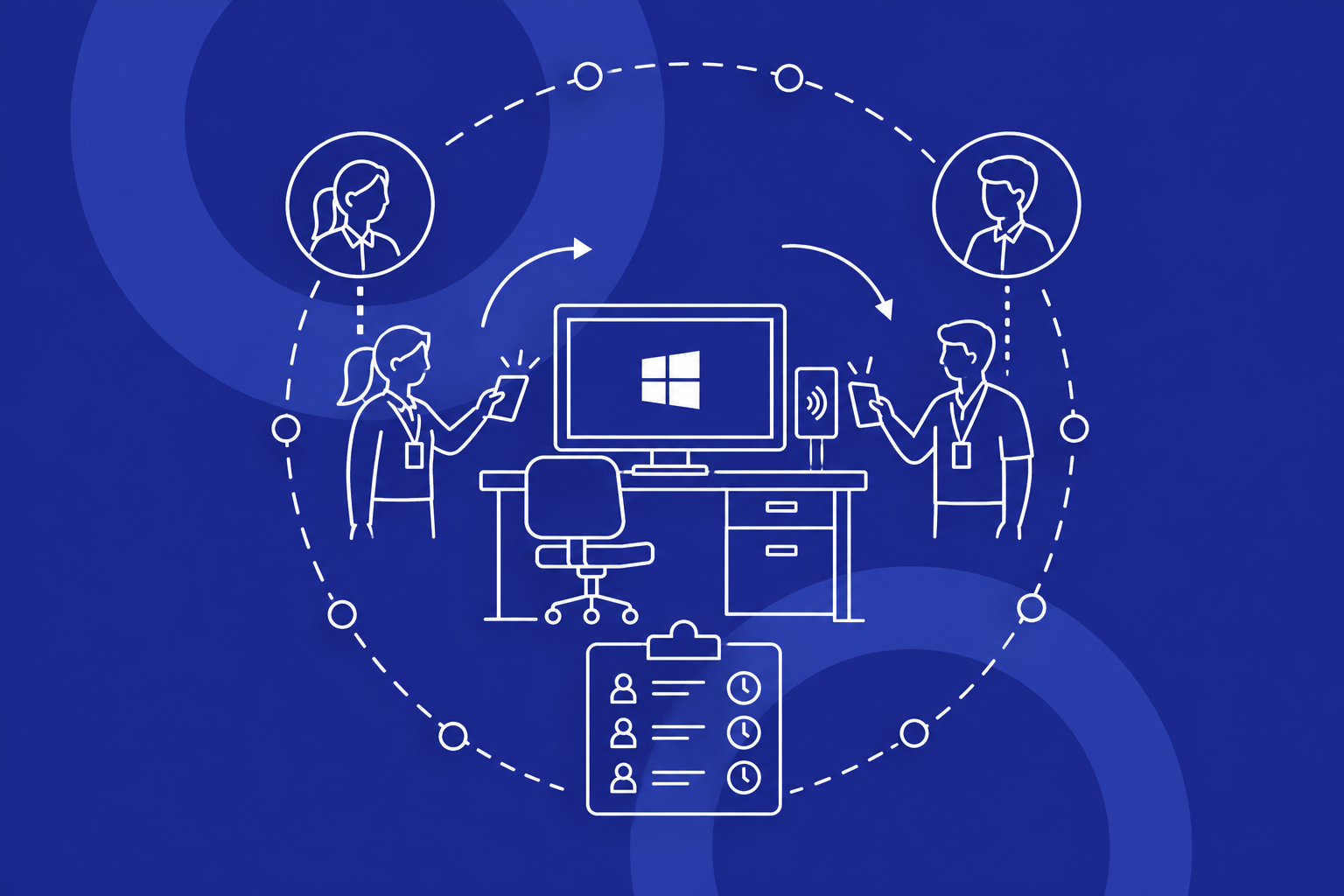
Illustration of an employee presenting the same badge at a door reader and a compatible workstation reader, with separate access permissions.
Your badge opens the door. Can it also unlock the computer?
Employees already present a badge to enter the building, then use a separate login process at their workstation. For teams returning to shared terminals throughout a shift, the question is practical: can that familiar credential also provide computer access without issuing another badge?
A compatible credential can serve both purposes. But a badge working at the door does not establish that it will work at a computer. IT and physical security need to resolve three things:
- Whether the existing credential and workstation reader work together.
- How the badge is associated with the right employee and approved computer access.
- How lost, replaced, temporary, and deactivated badges are handled across both systems.
From the door to the desktop: how the same badge works
Credenti Tap enables badge-based workstation authentication. The journey starts with validating what you already have and enrolling it for computer access.
- Validate the badge and reader. Test a representative credential with the intended workstation reader and computer before selecting hardware or expanding deployment.
- Enroll the employee's credential. Associate the supported badge with a verified employee identity and define the permitted computer access.
- Use the same badge at the workstation. The employee continues using the badge at the door as usual, then presents it to a compatible computer reader.
- Authenticate under the configured policy. Credenti checks the enrolled credential, including any required additional factor, to provide the approved login or unlock experience.
Existing badge → compatible workstation reader → enrolled employee identity → permitted computer access.
Decide how the badge grants—and ends—computer access
How do we enroll the badges we already have?
Enrollment associates a compatible credential with a verified employee identity. Issuing a badge for door access alone does not establish computer-login enrollment. Credenti's Windows integration includes self-service and administrative bulk enrollment options; confirm the appropriate method for your environment and who may enroll or replace credentials.
Keep door permissions and computer permissions distinct
Your physical-access system manages entry to buildings and rooms. Credenti connects the supported credential to computer access. Reusing a badge does not automatically connect these systems or grant everyone with door access permission to use every computer.
Bring IT and physical security into the same planning conversation. Define which system or team approves each type of access and how changes are communicated. Disabling a badge at a door must not be assumed to revoke computer access automatically.
What happens when a badge is lost, replaced, or not returned?
Credenti Tap blocks credentials marked lost, stolen, or blocked. The time a change reaches each endpoint, especially a disconnected one, depends on the deployment; revocation is not necessarily immediate everywhere.
Associate a replacement badge with the correct employee and remove the old credential's access. For temporary credentials, define authorization, duration, return, and removal of the identity association. If a worker leaves without returning a badge, start the access-removal process without waiting for its physical recovery. Address building access separately, and remove the previous association before reissuing a returned credential.
Offboarding also needs to address account access and active sessions; removing a badge association alone is not a complete process.
Choose the authentication and session policy
A readable card identifier is different from cryptographic authentication. Badge-only login is not automatically MFA or phishing-resistant. Credenti supports configurable additional factors such as a PIN; the appropriate method depends on the credential and deployment.
Define when an unattended computer locks and how the next employee takes over. Reusing a badge does not itself determine whether an operating-system session stays open or an application's prior user is signed out. Computer login and application authentication remain separate requirements.
Where one badge can simplify the workday
Clinical workstations
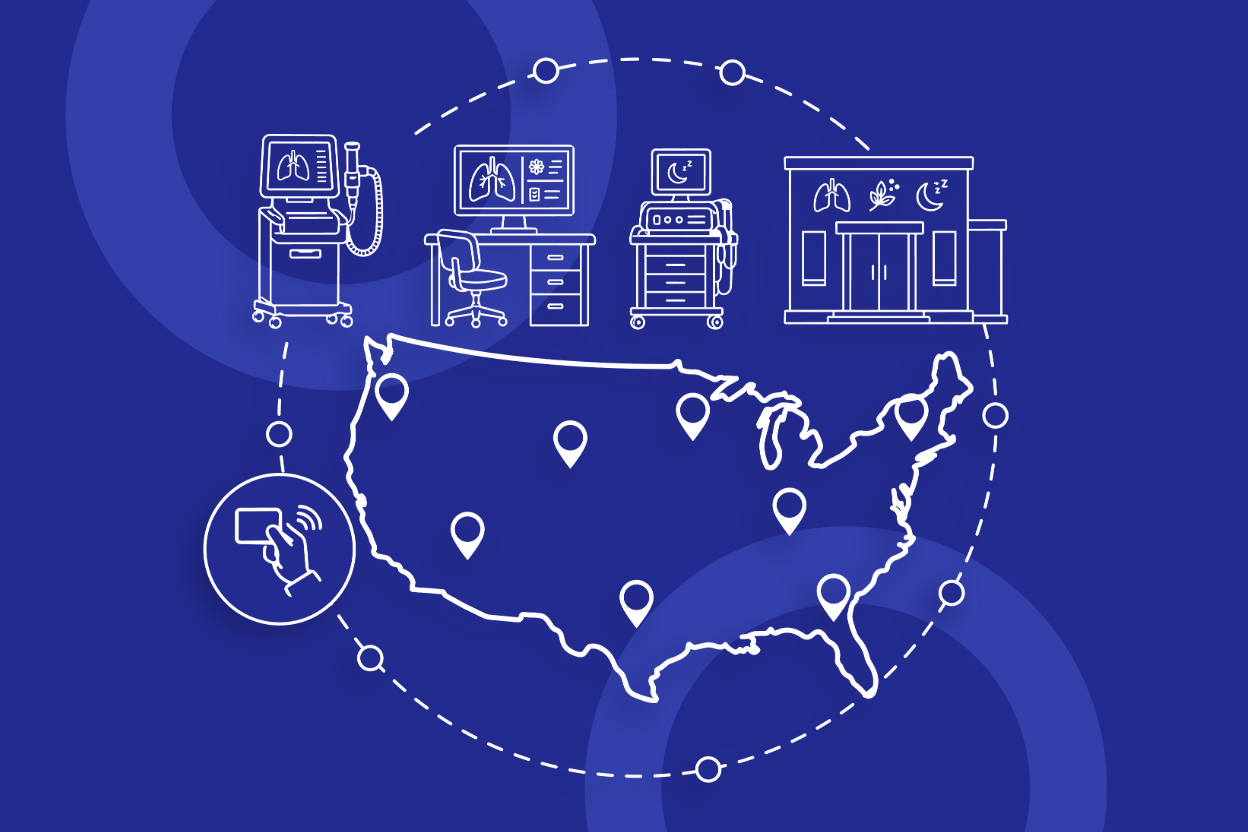
Employees moving between work areas can use a compatible access badge at supported computers. Explore healthcare access workflows.
Production and shared terminals
Employees can use a familiar credential at a supported workstation. Where a production application must remain running, operator identity and session behavior are separate requirements. Explore manufacturing access workflows.
Mixed Windows and Mac workplaces
One compatible credential can serve employees using different computers, with a suitable reader and supported configuration for each platform.
Will your existing badges, readers, and computers work together?
Can I use my existing employee badge to log into Windows?
Yes, with a compatible badge and reader, enrollment, and the appropriate Credenti configuration. Credenti supports badge login for Windows, including Active Directory and Microsoft Entra ID environments. Confirm the Windows version, device join state, account type, and required login or unlock workflow during evaluation.
Already know which badge you will use? Explore badge login for Windows for platform details.
What about Macs, thin clients, and other environments?
Credenti provides badge access options for macOS and Linux as well as Windows. Its published capabilities also cover virtual desktops, including Citrix, Horizon, and Microsoft RDS, and supported thin-client environments such as IGEL. The credential, reader connection, operating system, and session you want to access all matter. Support in one configuration does not establish support in every other configuration.
For Macs, review Credenti Tap for macOS. For thin clients or VDI, specify whether the badge must unlock the local endpoint, the virtual desktop, or both. Include any offline requirements in your compatibility review.
Will our HID cards, RFID badges, NFC cards, or key fobs work?
These names help identify a credential, but they are not interchangeable compatibility guarantees. Start with the exact card technology and reader model.
HID Prox / Prox II or another proximity credential
The low-frequency technology and card format determine the reader required. A 13.56 MHz-only NFC reader cannot replace a compatible 125 kHz reader.
HID iCLASS, iCLASS SE, or Seos
Compatibility depends on the specific credential variant and reading method. The HID brand alone does not identify the configuration.
MIFARE Classic or DESFire
The card generation and use of an identifier or protected credential data matter. Reading a serial number is different from accessing a secured application on the card.
An RFID or NFC employee badge
These broad labels cover different technologies. Your badge supplier or physical-security team can help identify the credential a reader needs to support.
A proximity or NFC key fob
Compatibility depends on the technology inside the fob, rather than its shape.
A badge containing multiple technologies
Computer login uses a particular credential component. That component must work consistently across the selected readers.
Credenti’s supported cards and readers page lists credential families to begin the assessment. Confirm your exact combination before purchasing hardware or planning a rollout.
Can we keep our existing badge readers?
Possibly. A reader at a workstation must work with the badge technology, the computer, and the selected Credenti authentication workflow. Reusing building-access badges does not mean moving door readers to desks.
rf IDEAS WAVE ID and pcProx readers: Identify the exact model and part number. WAVE ID includes different frequency and interface options; a family name is not enough to select a reader. The manufacturer’s reader catalog distinguishes low-frequency, high-frequency, and dual-frequency devices.
HID OMNIKEY, ACS ACR, and Identiv uTrust readers: Credenti lists options in these families. Check the specific model, firmware, driver, and operating mode rather than assuming every device in the family is equivalent.
ACR122U: If you already own one, include it in the assessment. ACS describes it as a 13.56 MHz NFC reader, so it is not a reader for 125 kHz proximity credentials. ACS also marks it end-of-life and no longer recommends it for new deployments. Ask Credenti to validate an appropriate current reader before ordering; a manufacturer’s replacement recommendation does not itself establish Credenti compatibility. ACS ACR122U product information
Built-in readers and RFID keyboards also need validation. A reader detecting a card is only one part of the test; confirm that the complete login workflow works on the target machine.
Do we need proprietary Credenti hardware?
No. Credenti does not manufacture or require proprietary Credenti hardware. Customers purchase compatible hardware through their preferred reseller, and Credenti can recommend compatible hardware.
You may be able to retain your existing badges and workstation readers. If your computers have no suitable reader, or the installed reader does not support your credential, additional hardware may be needed. Confirm compatibility first so you can buy only what your deployment requires.
Validate the complete workflow before rollout
Include different badge generations and locations in the inventory. Pilot login, unlock, replacement credentials, offboarding, and any required offline operation. Distinguish a network interruption, identity-service outage, and physical-access-system dependency; their effects depend on the architecture.
Confirm what remains available during each required failure condition and when access changes reach disconnected computers. A reader detecting a card is not proof that the complete authentication and revocation workflow meets your requirements.
Explore badge login products and implementation resources
Product
Credenti Tap: badge-based workstation authentication and product capabilities.
Compatibility
Supported cards and readers: credential and reader families for an initial assessment.
Integrations
Windows, macOS, and thin clients: platform-specific requirements.
Platform
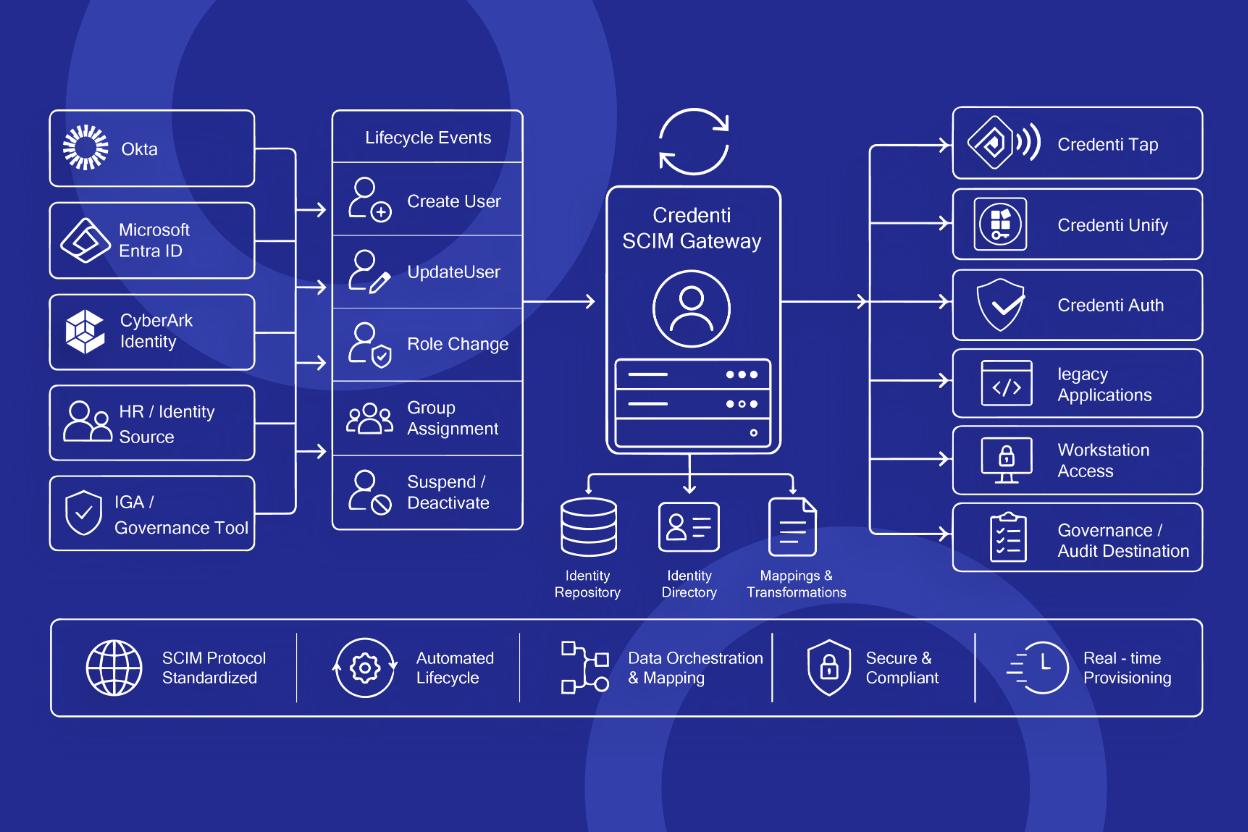
Identity lifecycle management: account lifecycle context alongside the separate physical-access process.
Platform
Session management: access and session policies after authentication.
Related solution
Shared-device access: the broader workflow for employees rotating through computers.
Frequently asked questions
Do we have to replace our building-access system?
Reusing a compatible credential for computer login does not inherently require replacing the building-access system. Confirm how the credential will be read and how each system will manage access. Any synchronization between systems requires its own assessment.
Will an HID card, MIFARE badge, or key fob work?
There is no universal compatibility guarantee. The exact credential, reader, reading method, and computer environment must be evaluated together. A key fob may be usable when its underlying technology is compatible; its shape does not determine support.
Will tapping the badge automatically log us into every application?
Computer login and application access are separate requirements. Identify which applications need access after login and assess the relevant integration. Reusing a door badge does not by itself provide universal application single sign-on.
What if we do not know which badges we have?
Start with your physical-security team, badge supplier, or access-control reseller. Ask for the credential technology, card model, and any reader model numbers. Credenti can help identify what information is needed for the compatibility review.
Does disabling a badge at the door also stop computer login?
Not automatically. Reusing a credential does not establish a connection between the physical-access control system and Credenti. Any coordinated revocation requires a defined integration or operating process, including which system initiates the change and how disconnected computers receive it.
What if a badge is forgotten or a reader stops working?
Establish an approved alternate-access process before rollout. For supported Windows deployments, Credenti documents temporary badge enrollment and fallback authentication options. Choose and test the methods appropriate to your policy and environment; a temporary badge will not resolve a failed reader by itself.
Is using an existing badge automatically MFA?
No. A badge alone is not automatically multifactor authentication. Credenti can require an additional factor such as a PIN in supported configurations. The assurance of the full method depends on the credential and authentication design; reusing a proximity card does not turn it into a phishing-resistant credential.
Can we evaluate this for just a few computers?
Share both your employee count and computer count with Credenti, together with the badge and reader models. Those details help scope a representative evaluation and establish applicable licensing and deployment requirements before purchase.
Find out whether your existing badges can do more
Tell us what opens your doors today and which computers you want employees to access. We can review your proposed setup and recommend compatible hardware where needed.
For a useful first conversation, include:
- Badge or key-fob manufacturer, model, and technology, if known.
- Workstation reader manufacturer and exact model, including WAVE ID or ACR122U units already in use.
- Windows, macOS, Linux, thin-client, or virtual-desktop environment.
- Identity system and whether computers are shared or individually assigned.
- Login, unlock, session-switching, additional-factor, and offline requirements.