
MFA for Brokers, Partners and Contractors—Without the Device Dependency
Extend TOTP authentication in Okta and Microsoft Entra to brokers, partners, agents, contractors, global help desks, and other distributed users—without requiring a mobile phone, SMS, voice call, authenticator app, security key, or software installation.
Credenti Extend provides a secure, browser-based virtual authenticator that gives users access to their rotating six-digit TOTP code wherever they are authorized to work.
No phone. No app to install. No authentication hardware to distribute.
Extend TOTP Beyond the Physical Phone
Organizations have more authentication choices than ever. But deploying those authentication methods across every workforce can still create significant operational challenges.
Brokers may work from their own laptops. Partners may use devices managed by another company. Help desk personnel may be distributed around the world. Contact center agents may not be permitted to use personal phones. Contractors may only require access for a few months.
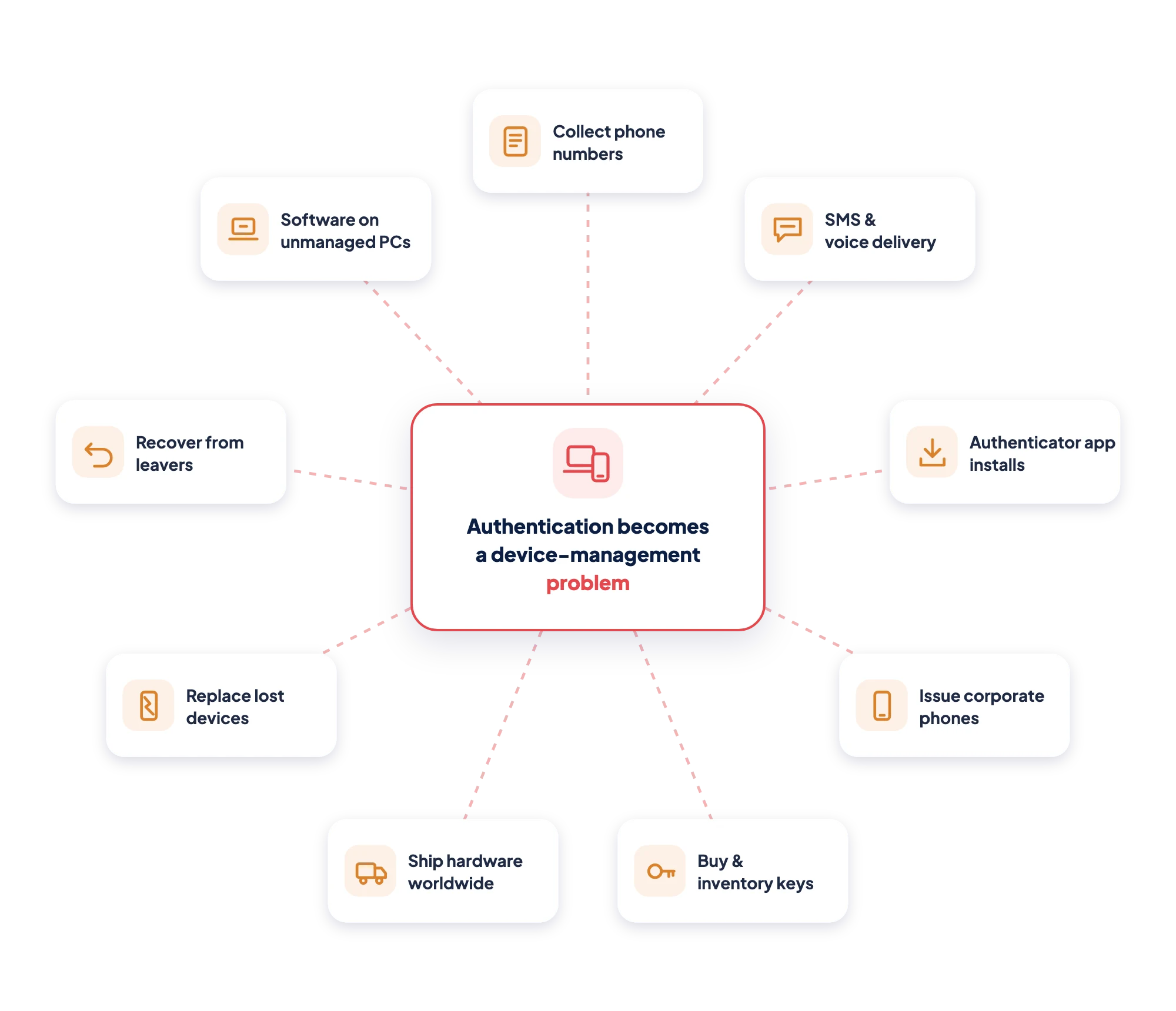
In these environments, authentication can become a device-management problem.
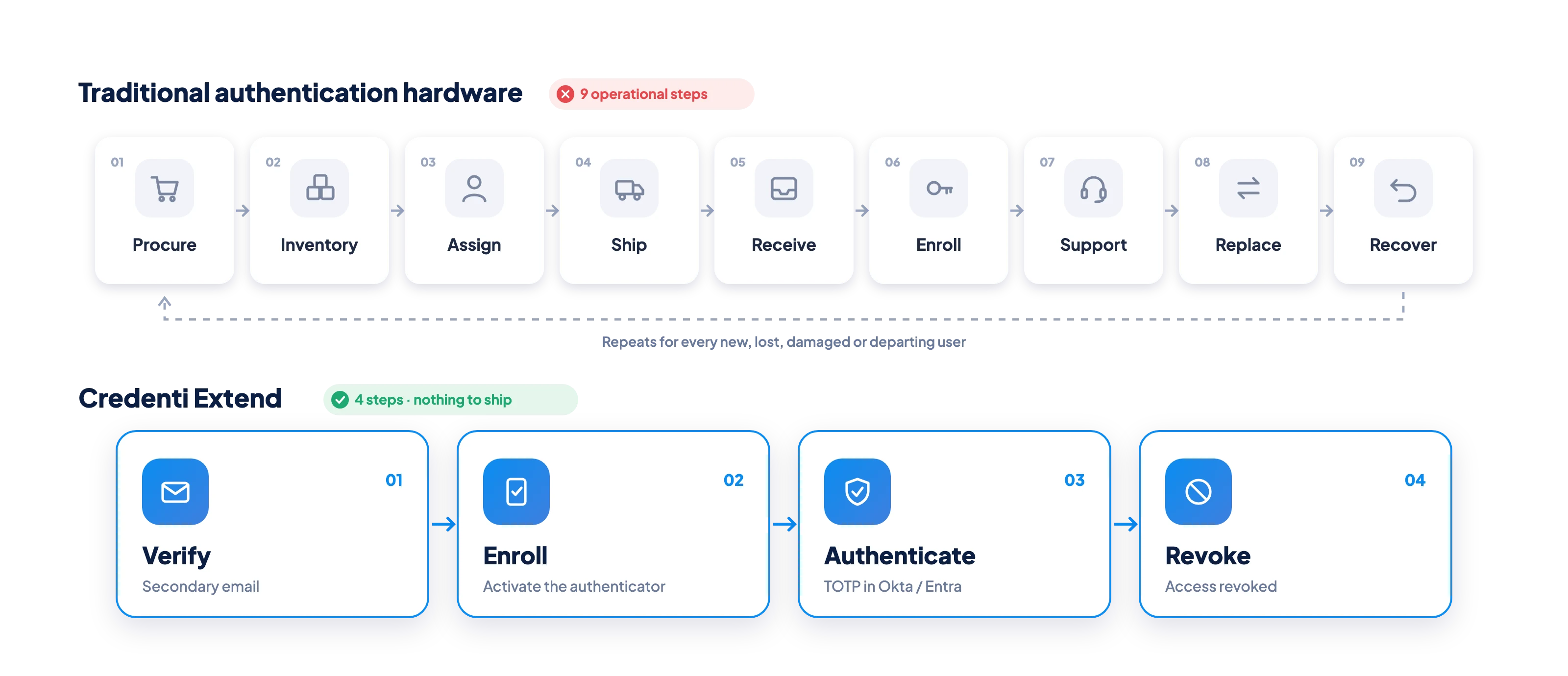
Organizations may need to:

Collect and maintain personal phone numbers
Depend on SMS or voice delivery
Require users to install authenticator applications
Issue corporate mobile phones
Purchase and inventory security keys
Ship authentication hardware around the world
Replace lost or damaged devices
Recover hardware when workers leave
Support software on endpoints they do not manage
Credenti Extend provides another approach.
Extend the TOTP authentication already available in Okta and Microsoft Entra without extending device-management responsibilities to every user.
Meet the Virtual Authenticator
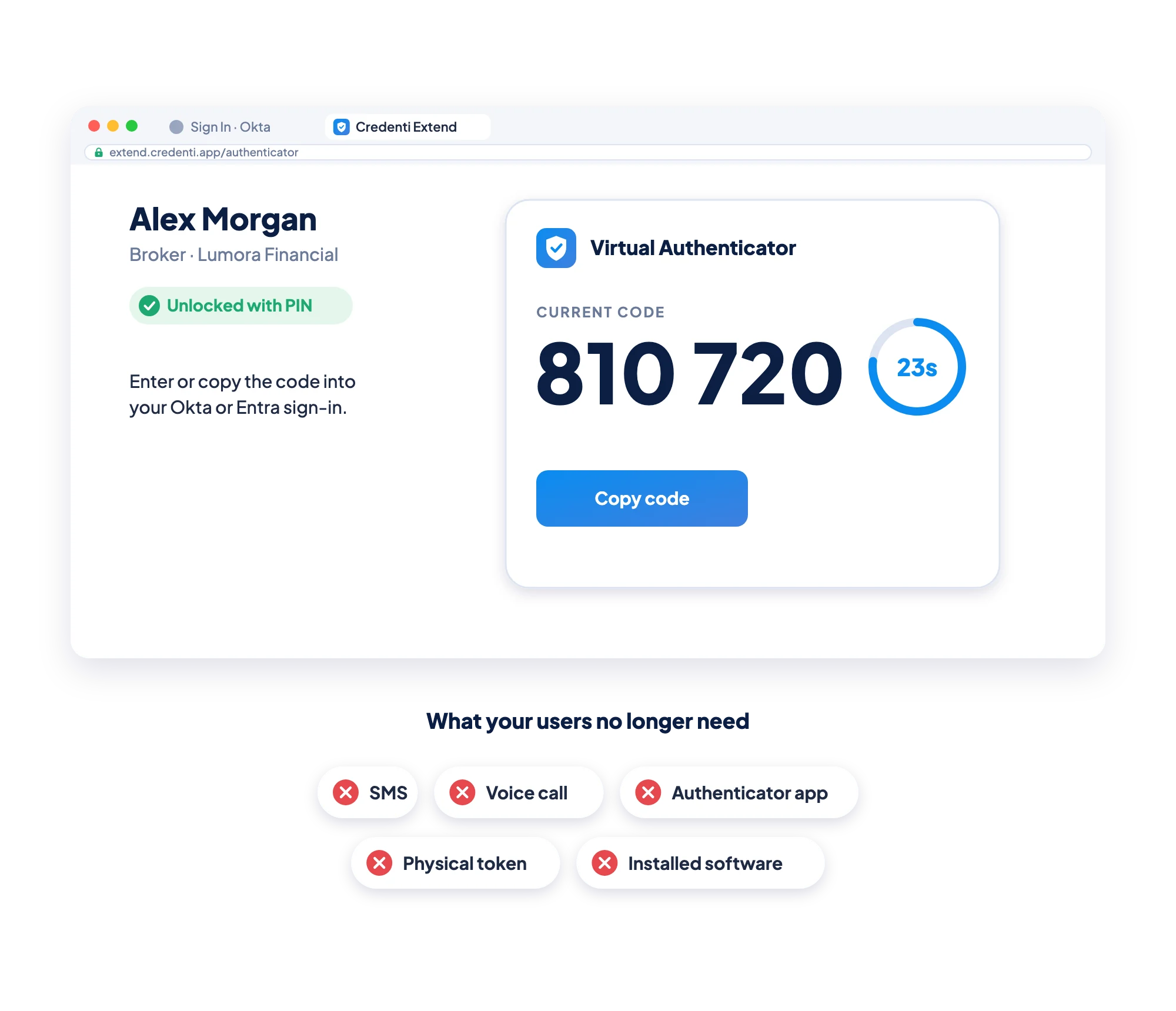
Credenti Extend brings the familiar authenticator experience to the browser.
Instead of opening an authenticator application on a physical phone, users open their Credenti Extend virtual authenticator.
When a PIN is configured, the user unlocks the virtual authenticator much like they would unlock a physical phone. Extend then displays the current six-digit TOTP code.
The user enters or copies the code into the existing Okta or Microsoft Entra authentication experience.
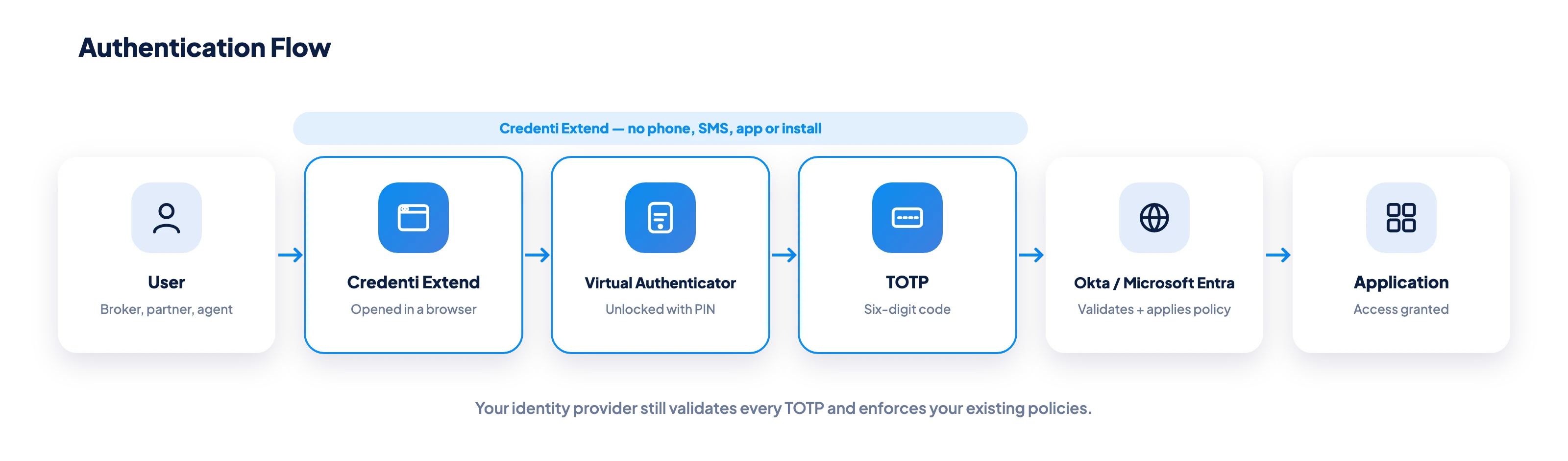
The identity provider validates the TOTP and continues enforcing the organization's authentication and access policies.
How Credenti Extend Works
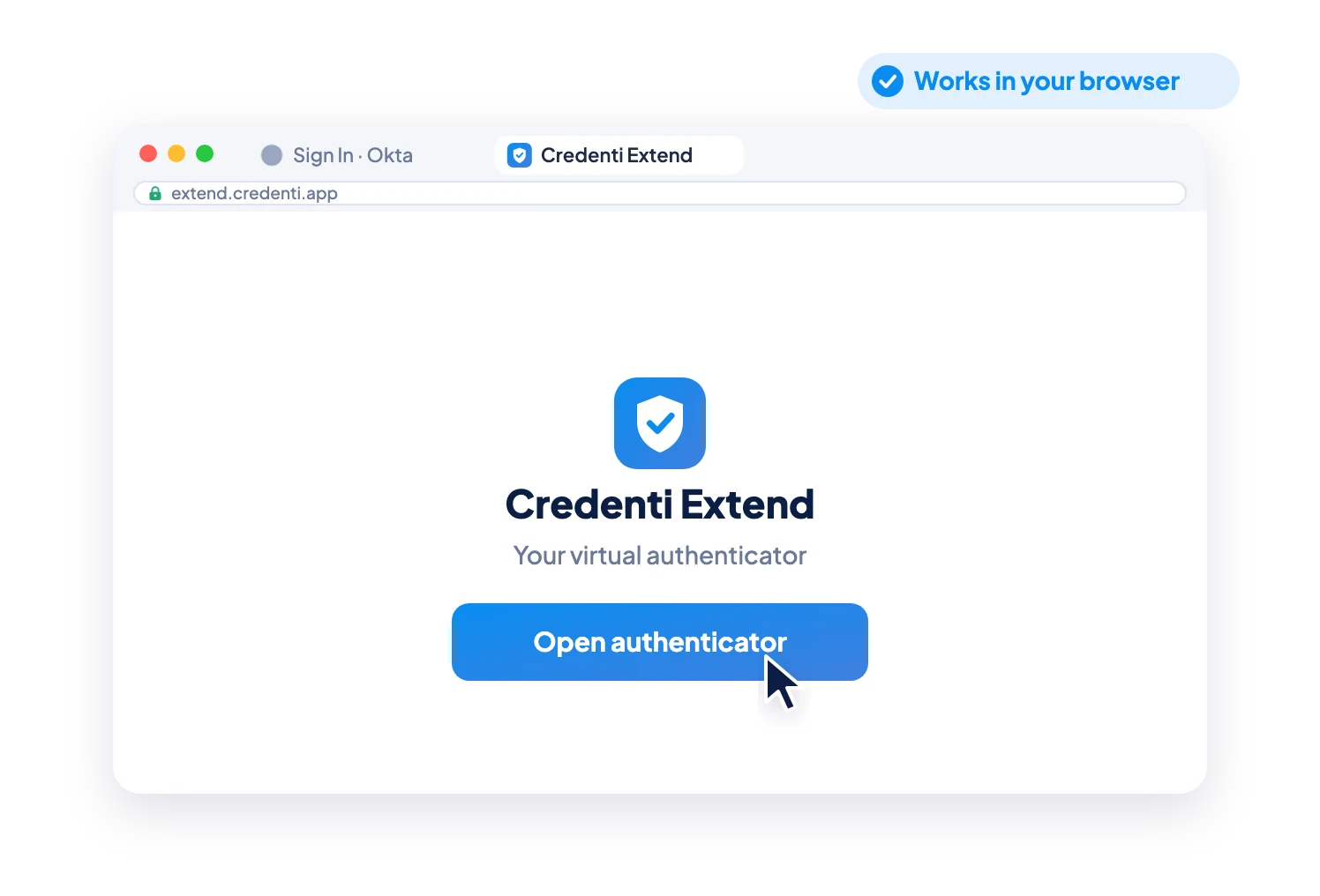
1. Access the Virtual Authenticator
The user opens Credenti Extend through a supported web browser.
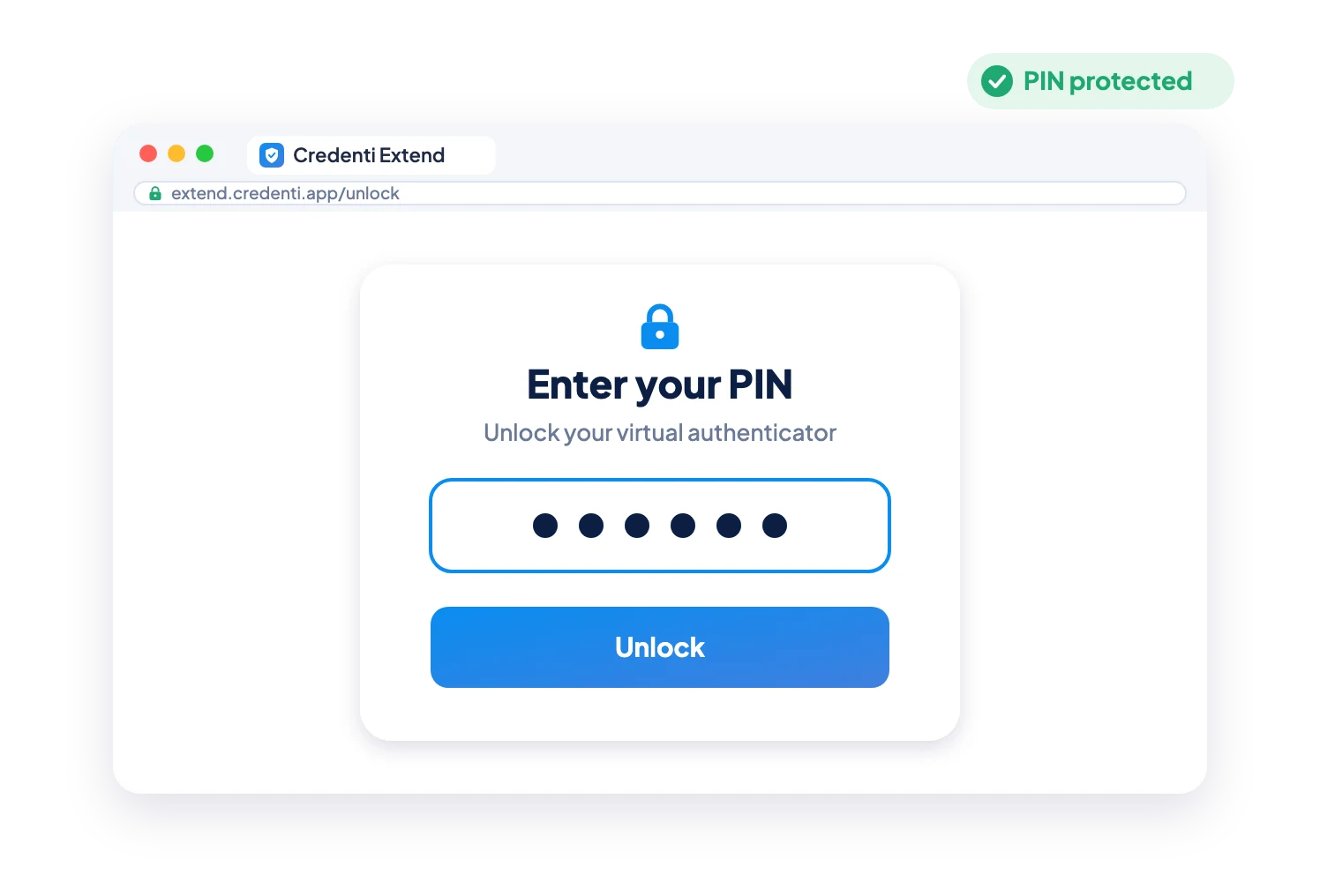
2. Unlock
When configured, the user enters their personal PIN to unlock their virtual authenticator.
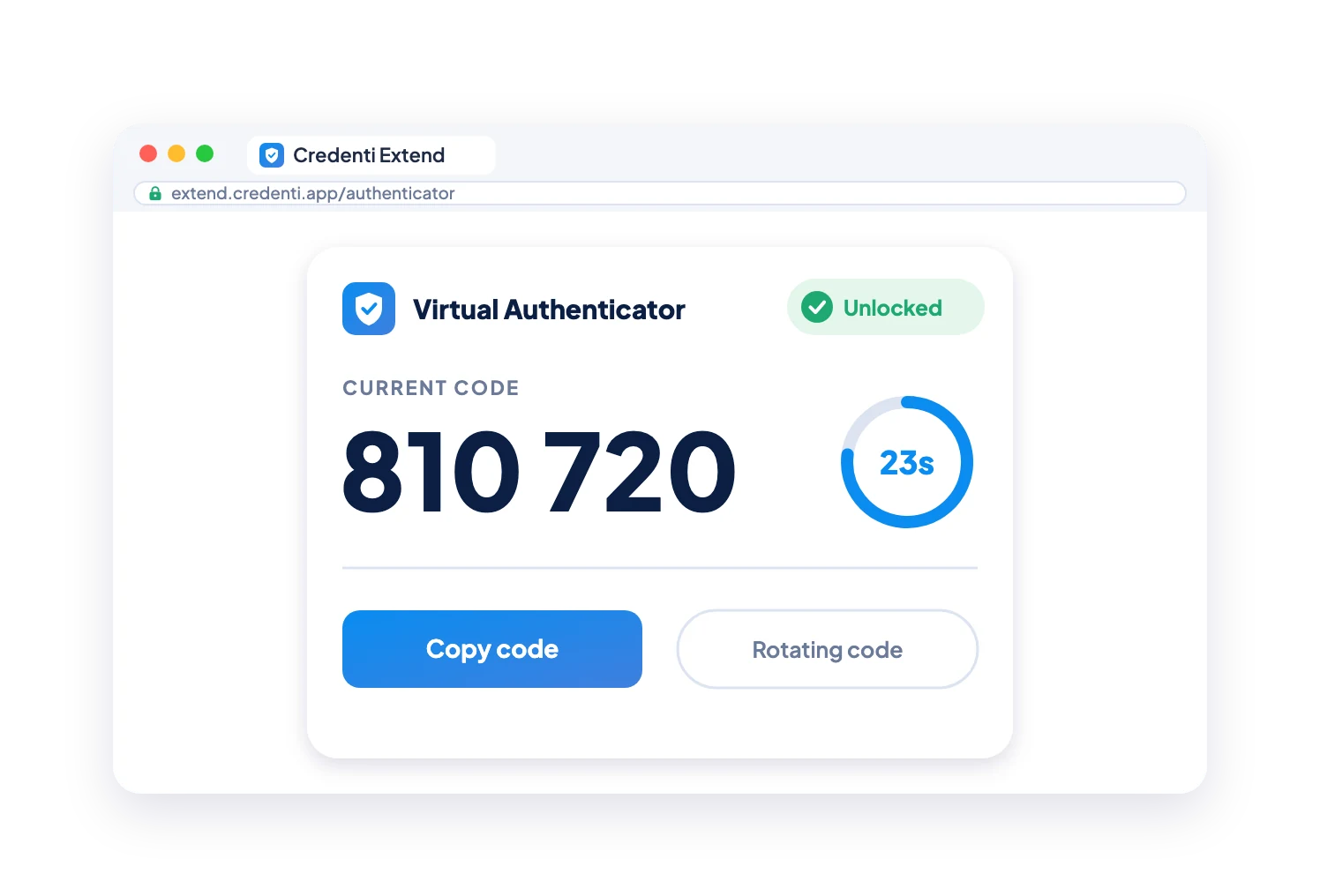
3. View the TOTP
Credenti Extend displays the user's current six-digit time-based one-time password. The code automatically rotates based on the configured TOTP interval.
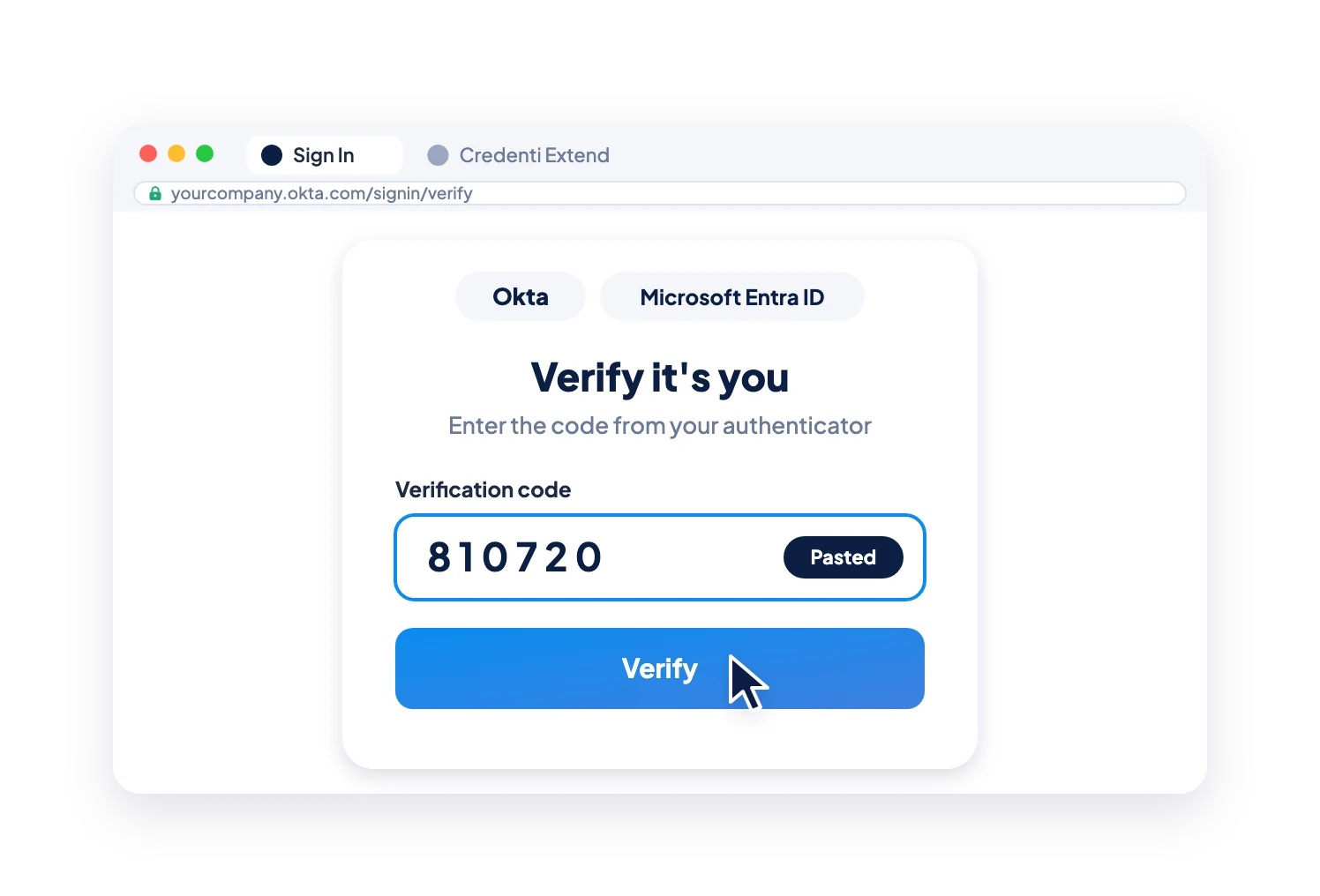
4. Authenticate
The user enters the code into the normal Okta or Microsoft Entra authentication prompt.
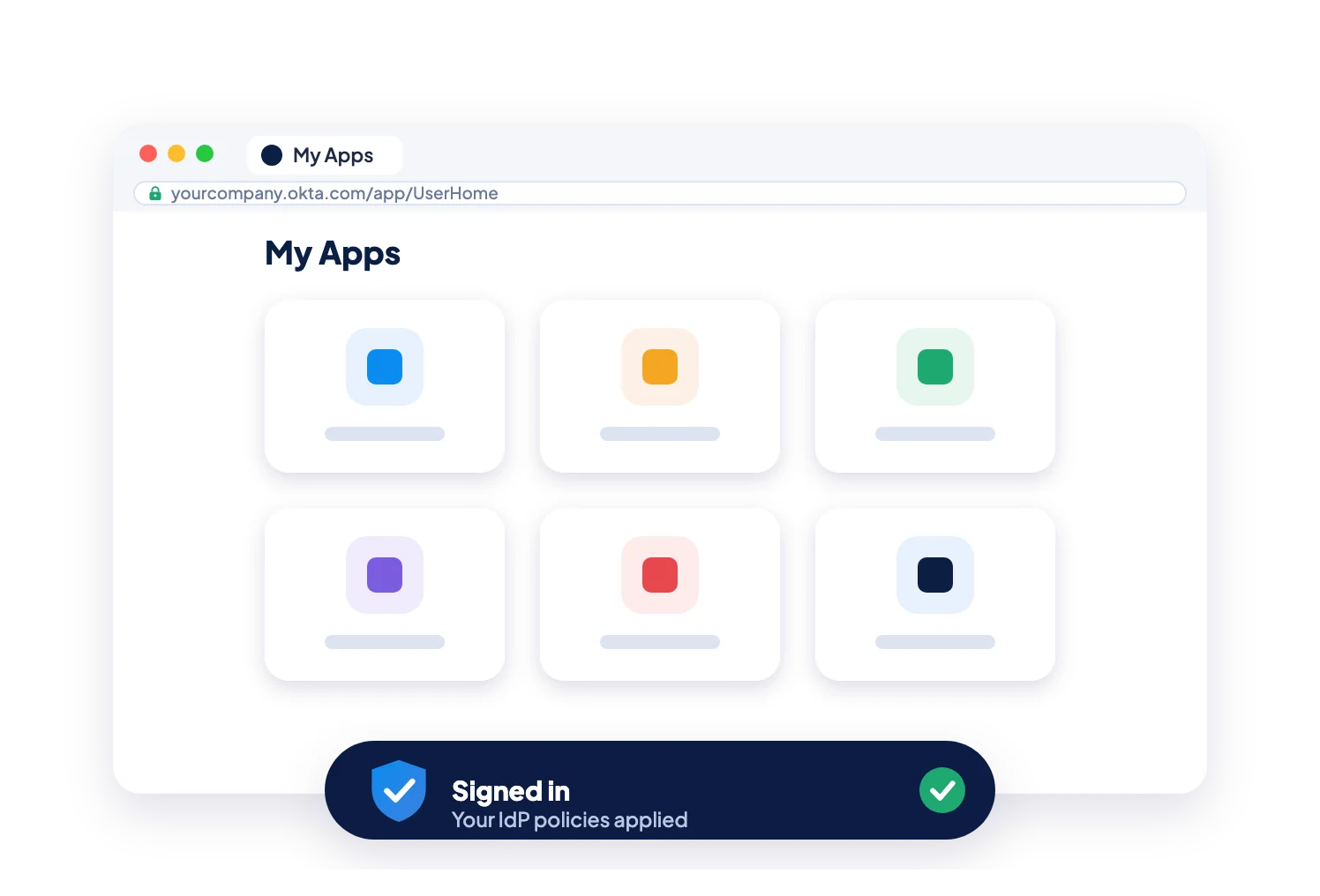
5. Continue Working
Okta or Microsoft Entra validates the TOTP and applies the organization's existing authentication and access policies.
First-Time Enrollment Without a Phone
A virtual authenticator shouldn't require a physical phone just to activate it.
Credenti Extend provides a phone-independent enrollment experience.
From that point forward, the user can retrieve the current TOTP directly from Credenti Extend without receiving each authentication code through email.
Secondary email establishes the user during enrollment. It does not replace SMS as another mechanism for delivering every TOTP.
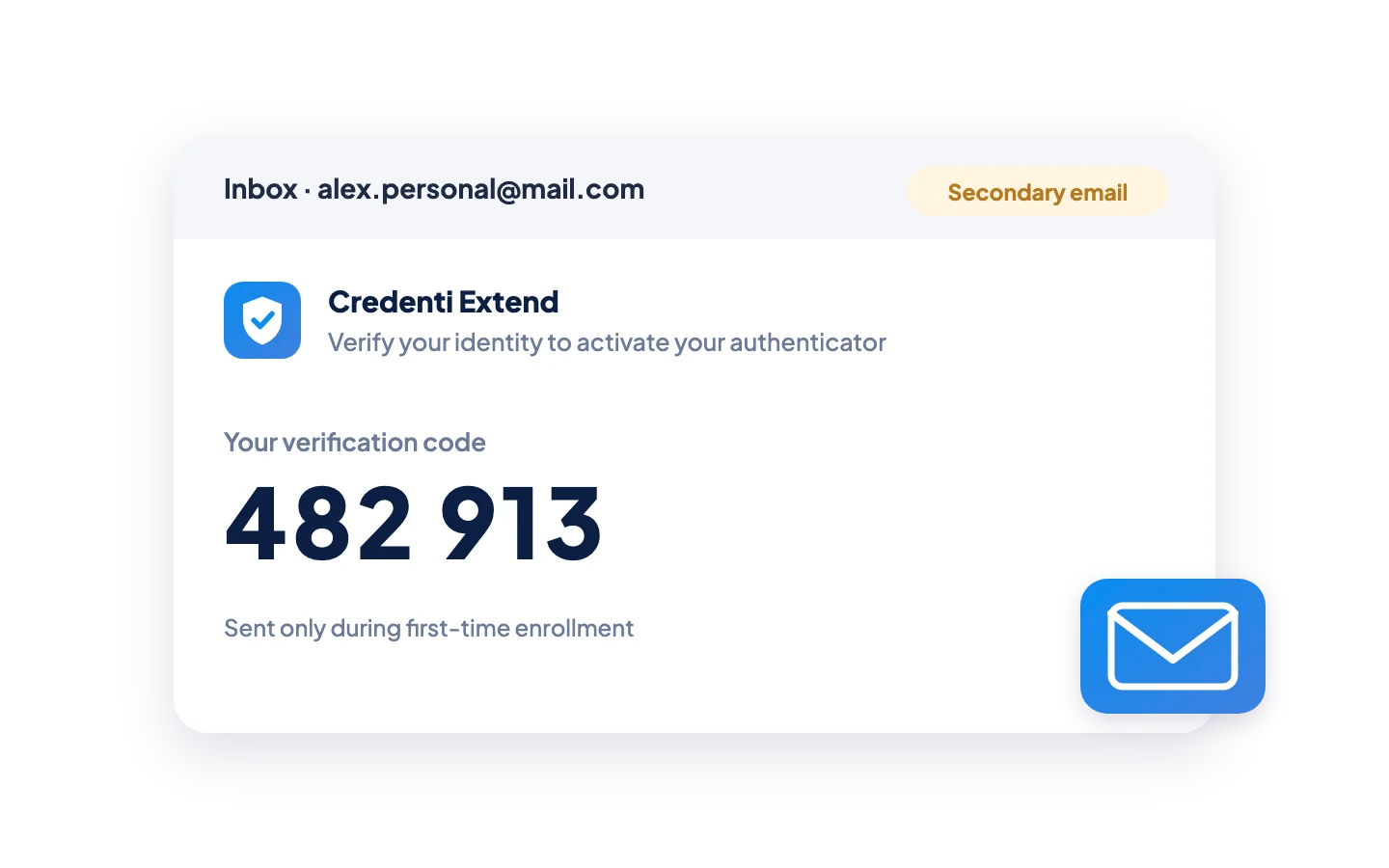
1. Verify the User
During first-time activation, Credenti Extend sends a six-digit verification code to the user's registered secondary email address.
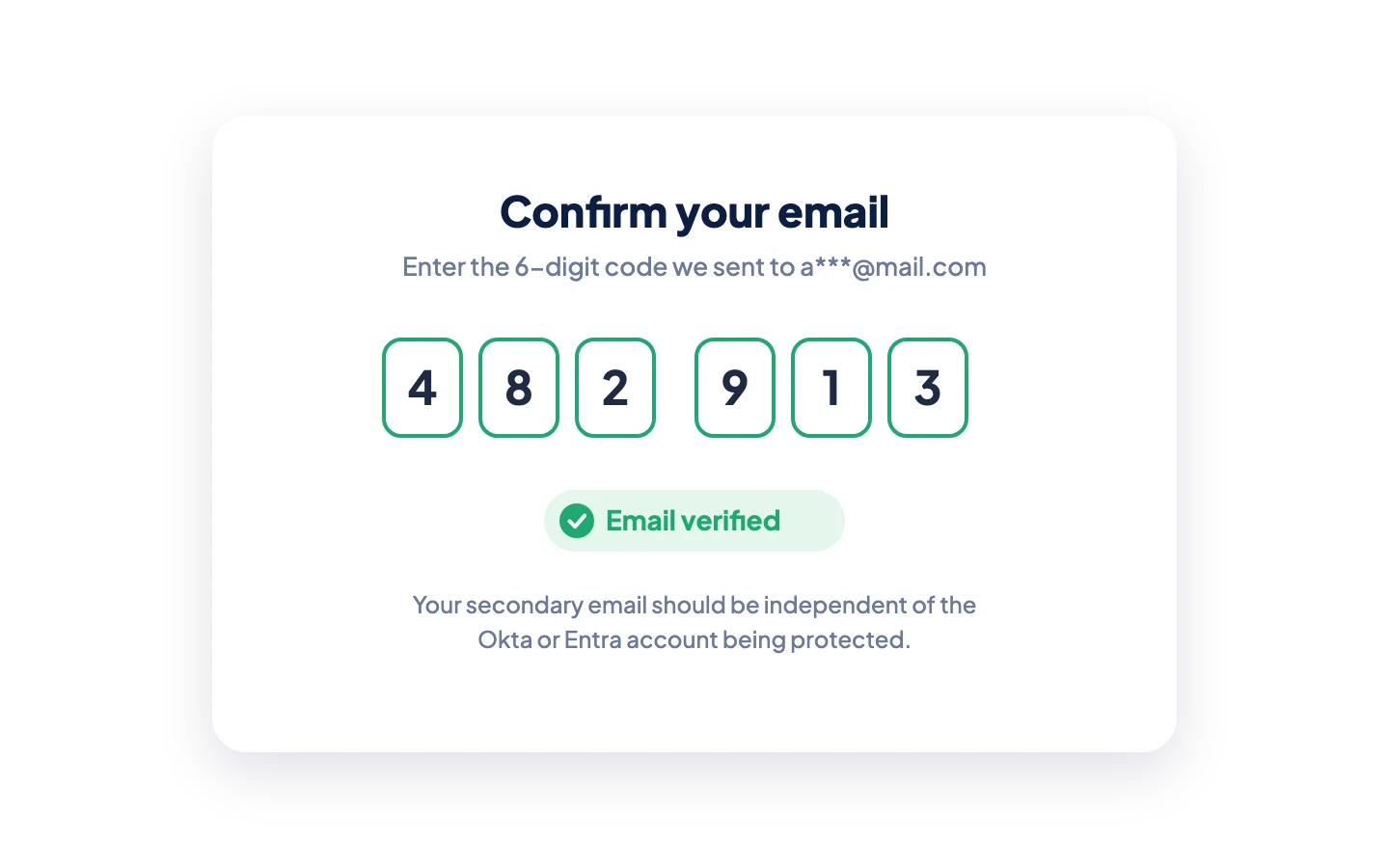
2. Confirm Access
The user enters the verification code to demonstrate access to that email account. The secondary email should be independent of the Okta or Microsoft Entra identity environment being protected.
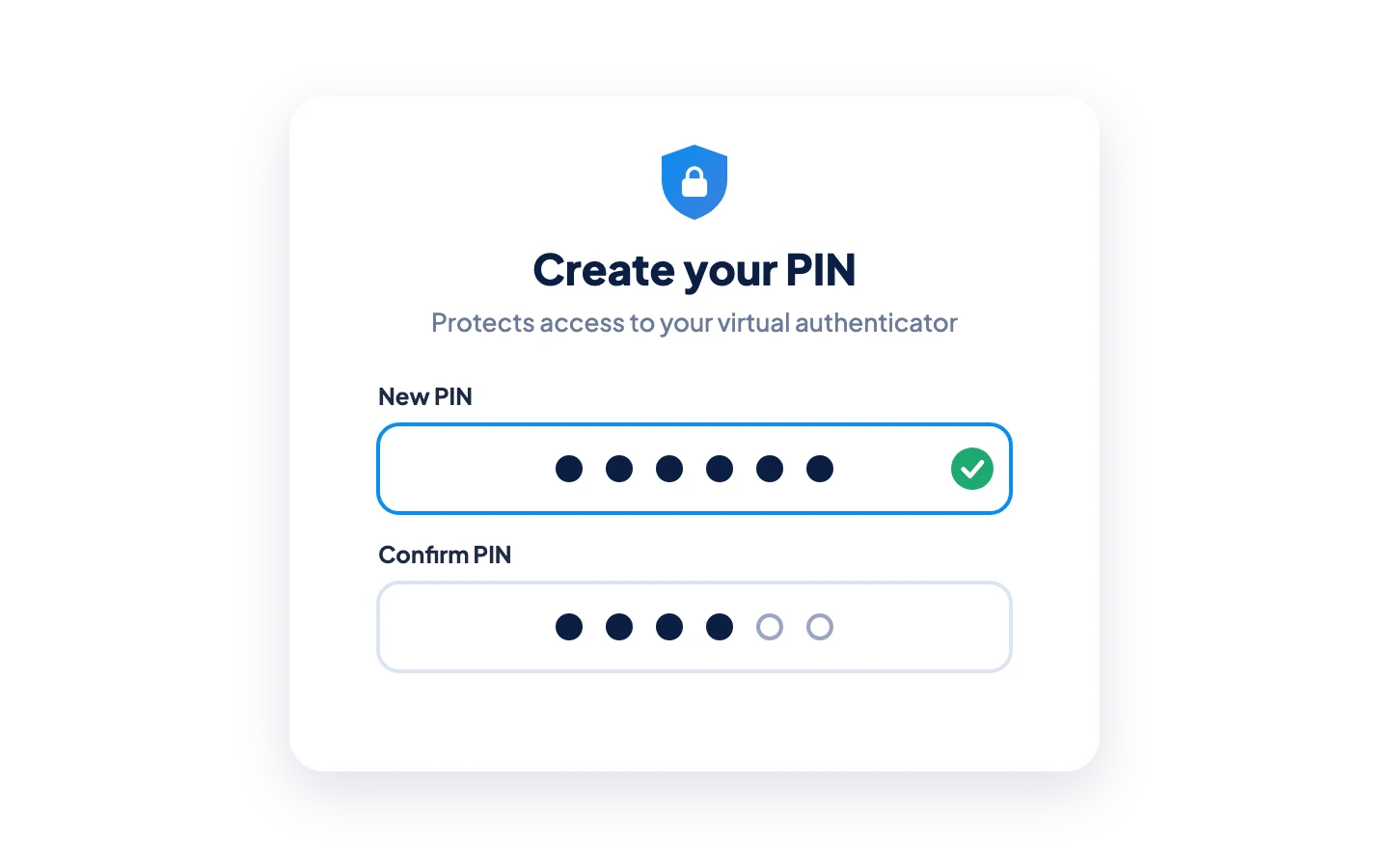
3. Establish a PIN
Based on organizational policy, the user can establish a personal PIN to protect access to the virtual authenticator.
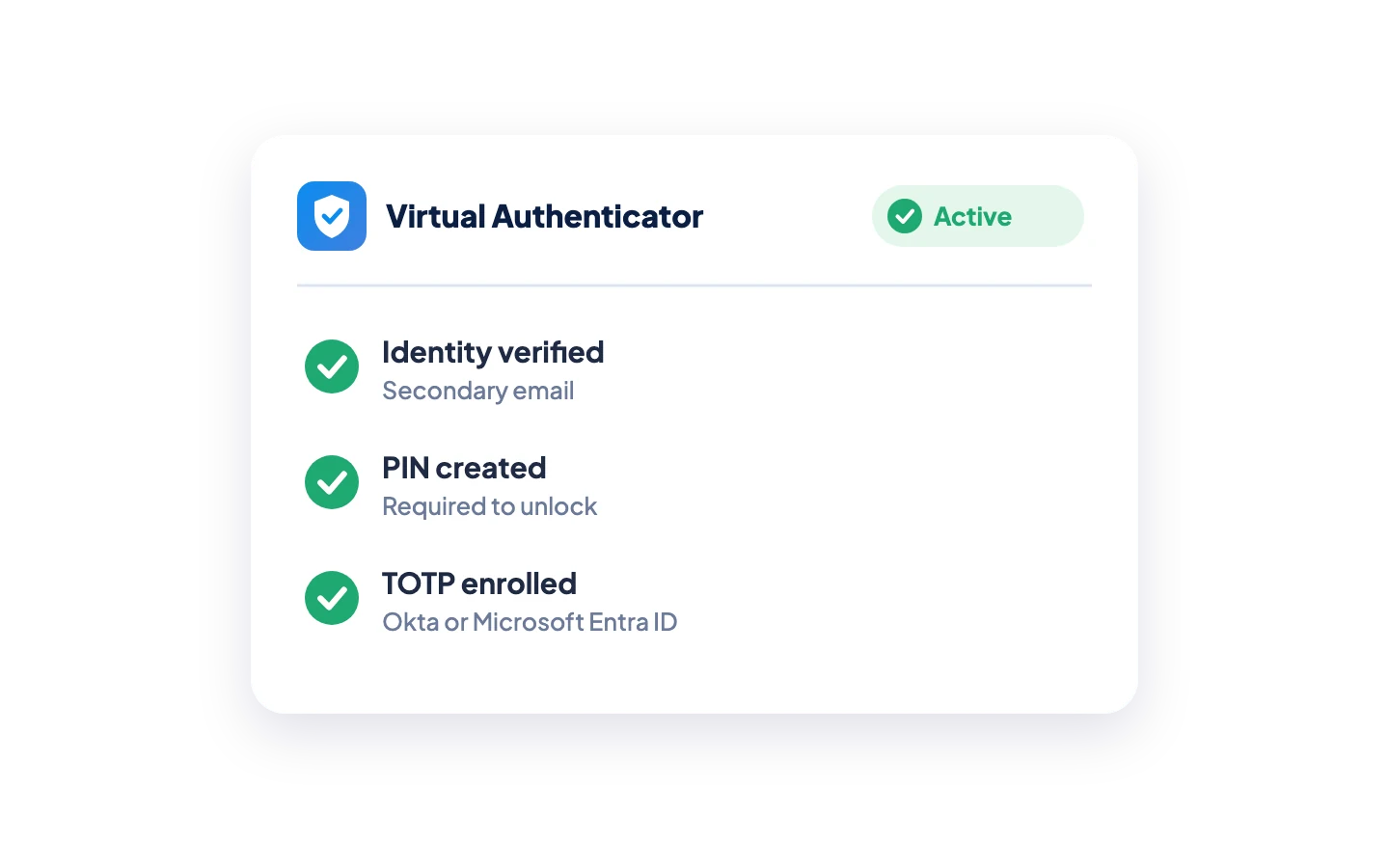
4. Activate the Virtual Authenticator
The user's TOTP enrollment is completed and their virtual authenticator becomes available.
Your Identity Provider Still Does the Authentication
Credenti Extend isn't another identity provider.
It extends an authentication method your identity infrastructure already understands.
Okta
Credenti Extend works with TOTP authentication supported by Okta. Okta continues to enforce authentication policy and validate the user's TOTP.
Microsoft Entra
Credenti Extend works with OATH TOTP authentication supported by Microsoft Entra ID. Entra continues to enforce authentication policy and validate the user's TOTP.
Keep your IdP. Keep your policies. Keep TOTP. Remove the physical-device dependency.

Nothing to Install
Authenticate Users on Devices You Don't Manage
This is one of the most important differences with Credenti Extend.
Brokers, partners, agents, contractors, outsourced personnel, and other external users frequently work from personally owned or independently managed endpoints.
The organization may not have:
Administrative rights to the endpoint
MDM control
Authority to install applications
Authority to modify browser configurations
Ownership of the user's phone
A practical way to distribute authentication hardware
Credenti Extend is browser based.
Users don't need to install an authenticator application, desktop agent, or other Credenti software simply to retrieve their TOTP.
Your organization can control application access without having to control the user's device.
Built for the Extended Workforce
Brokers & Financial Agents
Provide brokers, financial agents, advisors, and other distributed users with enterprise MFA without issuing phones or installing authentication software on independently managed devices.
Partners & Third Parties
Extend protected application access to partners and vendors while avoiding endpoint installation requirements on devices owned by another organization.
Global Help Desks
Authenticate distributed support personnel without procuring and shipping authentication hardware across offices, countries, and outsourced providers.
Contact Centers & BPOs
Support high-volume, shift-based, outsourced, and high-turnover agent populations without depending on personal phones.
Contractors & Temporary Workers
Provide MFA to short-term users without creating a physical authentication-device lifecycle.
BYOD Workforces
Support users working from personally owned endpoints without requiring corporate authentication software to be installed on those devices.
Remove the Authentication Device Lifecycle
Traditional authentication hardware can create an operational process that extends far beyond authentication.
There is no physical TOTP device to ship, recover, or replace.
TOTP Without the Phone
Frequently Asked Questions
What is Credenti Extend?
Credenti Extend is a browser-based virtual authenticator that allows users to access TOTP authentication codes without requiring a physical mobile phone, SMS, voice calls, authenticator application, or physical TOTP token.
Can I use MFA without a phone?
Yes. Credenti Extend provides a phone-independent way for users to access TOTP authentication supported by Okta and Microsoft Entra.
Does Credenti Extend require software installation?
No. Users access their virtual authenticator through a browser. No authenticator application, desktop agent, or browser extension needs to be installed simply to retrieve the TOTP.
Does Credenti Extend work with Okta?
Yes. Credenti Extend is designed to work with TOTP authentication supported by Okta. Okta continues to validate the TOTP and enforce the organization's authentication policies.
Does Credenti Extend work with Microsoft Entra ID?
Yes. Credenti Extend works with OATH TOTP authentication supported by Microsoft Entra ID. Entra remains responsible for validating the authentication code and enforcing authentication policy.
Is Credenti Extend replacing Okta Verify or Microsoft Authenticator?
Credenti Extend provides an alternative way to make TOTP available for populations where requiring a physical phone or authenticator application creates operational challenges. It does not replace the identity provider itself.
Does Credenti Extend replace SMS MFA?
Credenti Extend can provide a phone-independent alternative for appropriate authentication workflows currently dependent on SMS or voice OTP delivery. The user's TOTP is made available through their virtual authenticator instead of being delivered through a telecommunications provider.
Does Credenti Extend require a phone number?
No phone number is required to deliver the TOTP because the user retrieves it from the virtual authenticator rather than through SMS or voice.
How does a user enroll without a phone?
During first-time enrollment, Credenti Extend sends a six-digit verification code to the user's registered secondary email. After successful verification, the user can establish a personal PIN when configured and complete activation of the virtual authenticator.
Why does Credenti Extend require a secondary email?
The secondary email provides an independent channel for verifying the user during first-time enrollment. It should not depend on the same Okta or Microsoft Entra environment being protected.
Is secondary email used every time the user authenticates?
No. Secondary email is used for identity verification during enrollment rather than to deliver every TOTP authentication code.
How does the PIN work?
When configured, the PIN protects access to the virtual authenticator. The experience is similar to unlocking a physical phone with a PIN before accessing an authenticator application.
Is TOTP phishing-resistant?
No. TOTP is not considered phishing-resistant authentication. Organizations requiring phishing-resistant authentication should use methods designed for that requirement, such as passkeys or FIDO2/WebAuthn authentication where appropriate.
Credenti Extend addresses a different problem: making TOTP operationally practical for populations where phones, authenticator applications, security keys, or endpoint installations create significant barriers.
Who is Credenti Extend designed for?
Credenti Extend is particularly suited to brokers, financial agents, partners, contractors, global help desk personnel, BPO workers, contact center agents, temporary workers, and other extended workforce populations.
Can Credenti Extend be used in BYOD environments?
Yes. BYOD and independently managed endpoints are important Credenti Extend use cases because users can access their virtual authenticator without requiring the organization to install authentication software on the endpoint.
Extend Authentication Beyond the Managed Workforce
Your workforce doesn't end with employees carrying corporate phones and laptops. Give brokers, partners, agents, contractors, global help desks, and distributed users access to enterprise MFA without turning authentication into another device-management operation. Keep Okta or Microsoft Entra. Extend TOTP. Remove the device dependency.


