
Unlock Zebra & Honeywell Devices with Credenti ShifTap
Credenti ShifTap provides secure, passwordless access to shared Zebra, Honeywell, and other Android handheld devices. Frontline workers can tap an NFC badge or scan a QR code to unlock the device and seamlessly access authorized applications—without entering passwords or PINs. Designed for shared-device environments across warehousing, retail, manufacturing, logistics, and field operations
Secure Login for Shared Rugged Android Devices
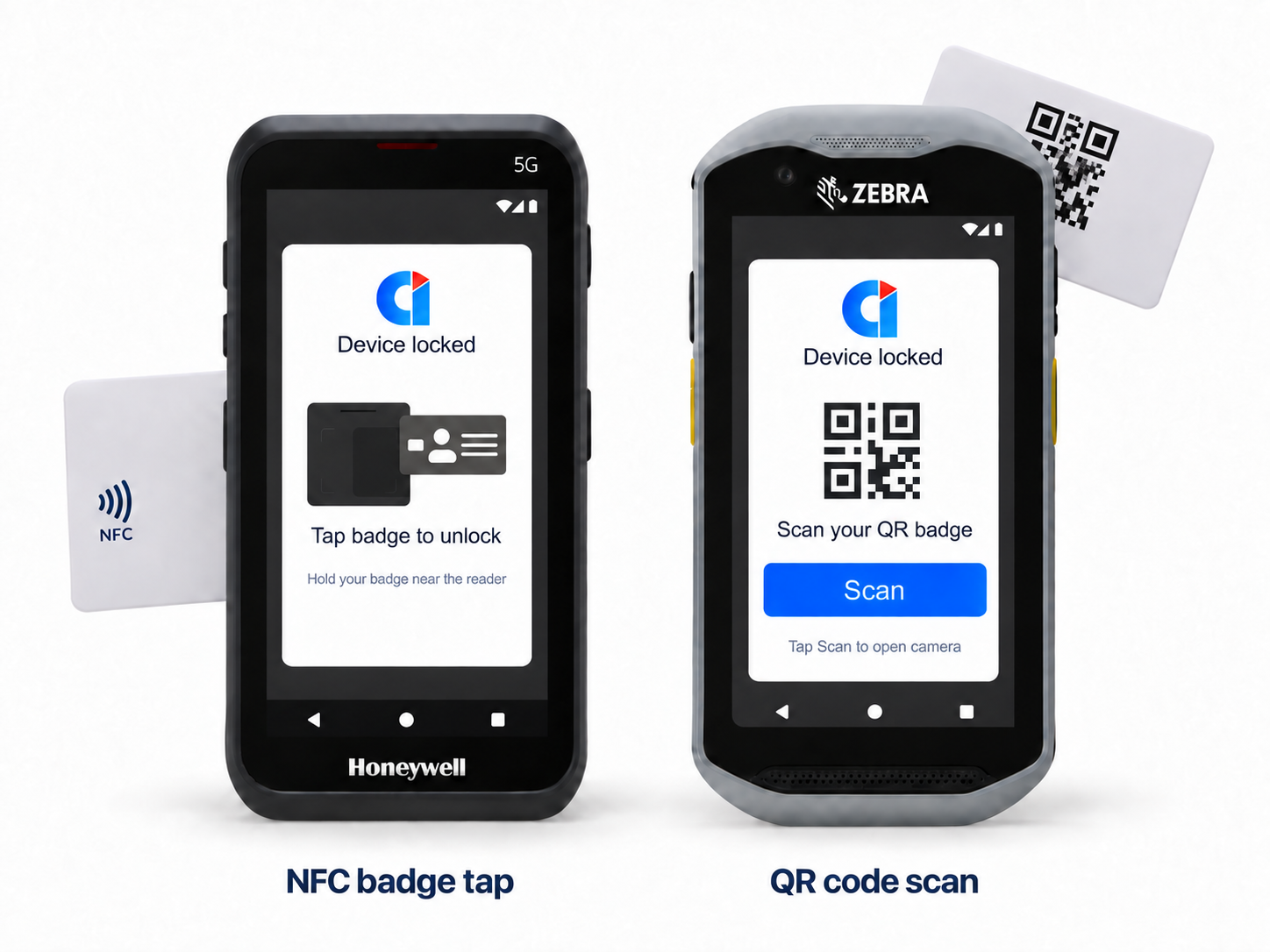
Purpose-Built for Shared Rugged Android Devices
Credenti ShifTap is a mobile authentication solution designed for high-turnover, shared-use environments. It functions as the lock screen on the Android device, requiring users to authenticate before gaining access.
Users can simply tap their NFC badge on the device’s built-in reader or scan a QR code to unlock supported Zebra, Honeywell, and other rugged Android handhelds. Once authenticated, users can seamlessly access authorized enterprise applications without manually entering passwords.
Key Capabilities


How It Works
1. Deploy Credenti ShifTap — Install and configure Credenti ShifTap on your Zebra, Honeywell, or other supported Android rugged devices.
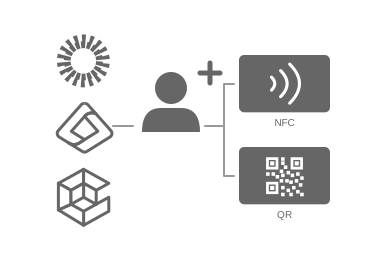
2. Provision Users & Authentication Methods — Provision users and configure supported authentication methods, including NFC badges and QR codes.
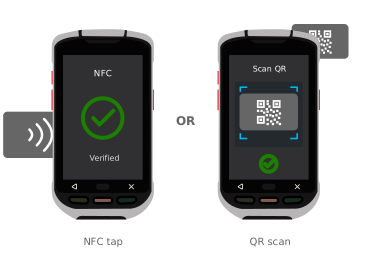
3. Tap or Scan to Authenticate — The user taps their NFC badge or scans a QR code on the handheld device. ShifTap verifies the user’s identity before granting access.
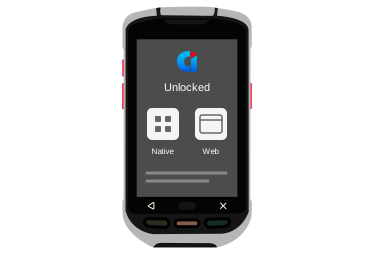
4. Unlock & Access Applications — Once authenticated, the device unlocks and the user can seamlessly access authorized native and web applications, without manually entering credentials.
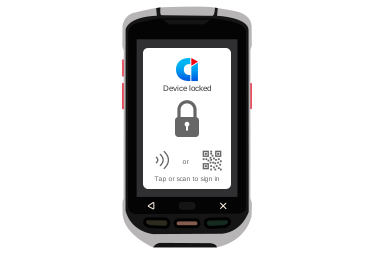
5. Secure the Device for the Next User — When the device is handed off, left unattended, or the session ends, ShifTap locks the device, requiring the next user to authenticate before gaining access.
Frequently Asked Questions
Can Credenti ShifTap lock and unlock Android handheld devices?
Yes. Credenti ShifTap functions as a secure lock screen for supported rugged Android handhelds. Users must authenticate using an NFC badge tap or QR code scan before the device can be unlocked and accessed.
Can I unlock a Zebra or Honeywell handheld using a QR code?
Yes. Credenti ShifTap allows users to scan a QR code directly on the handheld device to authenticate and unlock it. This provides a fast, passwordless alternative for users and workflows where an NFC badge may not be available or preferred.
Can I unlock a Zebra or Honeywell device by tapping an NFC badge?
Yes. Users can tap a supported NFC badge on the handheld device’s built-in reader to authenticate and unlock the device without manually entering a password or PIN.
Does Credenti ShifTap support both NFC badge and QR code authentication?
Yes. ShifTap supports both NFC badge tap and QR code scan authentication, allowing organizations to choose the authentication method that best fits their users and workflows.
Can ShifTap provide passwordless access to applications on the handheld device?
Yes. After a user authenticates and unlocks the device, ShifTap can provide passwordless SSO to supported native and web applications running on the handheld, eliminating the need to manually enter application credentials.
Can multiple users securely share the same Zebra or Honeywell handheld?
Yes. ShifTap is designed for shared-device environments. Multiple workers can use the same handheld, with each user authenticating using their assigned NFC badge or QR code before accessing the device and authorized applications.
What happens if a handheld device is left unattended?
ShifTap can automatically lock an unattended device, helping protect the device, applications, and data from unauthorized access. Authentication is required again before access to the device is restored.
Does ShifTap track who unlocked a shared handheld device?
Yes. ShifTap associates each device authentication event with an individual user, providing an audit trail of who authenticated to the device and when. This improves accountability when handheld devices are shared across workers and shifts.
Which Android handheld devices does Credenti ShifTap support?
Credenti ShifTap supports Zebra, Honeywell, and other supported rugged handheld devices running Android. Compatibility can depend on the device model, Android version, and the authentication capabilities available on the device.
Which NFC badges can be used to unlock Zebra and Honeywell devices?
ShifTap supports many commonly used NFC/RFID badges that can be read by supported handheld devices. Compatibility depends on the badge technology and the NFC/RFID capabilities of the specific device.https://www.credenti.com/resources/supported-cards-and-readers
Do users need to enter a password or PIN to unlock the handheld?
No manual password entry is required when users authenticate through a configured NFC badge or QR code. ShifTap is designed to make authentication fast and practical for frontline workers using shared rugged devices.
Does ShifTap work with native Android apps and web applications?
Yes. ShifTap can enable passwordless access to supported native Android applications and web applications after the user has authenticated to the handheld.


