Passwordless Healthcare Workstation Access with Any HR System, Any MDM, Okta, and Credenti

How healthcare organizations can keep the HR system and MDM platform they already use, while adding Okta and Credenti to deliver passwordless access on shared Microsoft devices using tap, face, or fingerprint authentication.

Executive Summary

Clinicians, physicians, nurses, medical assistants, and care team staff frequently move between shared clinical workstations throughout a shift. Healthcare organizations depend on these shared endpoints to support fast access while maintaining strong identity assurance and accountability. These environments require fast access, strong identity assurance, and clear accountability for every sign-in event.

Many healthcare teams already have an HR system and an MDM platform in place. What they often lack is a practical way to convert those existing investments into a fast, passwordless authentication experience on shared Microsoft devices, especially in no-phone environments.

This white paper outlines a flexible model in which the organization keeps its existing HR system and existing MDM platform, uses Okta as the identity security and policy layer, and uses Credenti to deliver passwordless access on shared endpoints using badge tap, facial biometrics, or fingerprint biometrics.

Outcome: A healthcare-ready authentication architecture that works with the systems customers already use, while improving clinician attribution, reducing password dependency, and enabling passwordless access on shared workstations.

Who Uses Shared Clinical Workstations?

Shared clinical workstations are used by many roles throughout a healthcare organization. These devices must support fast, secure access for care teams that move frequently between patient rooms, nursing stations, and clinical areas.

Physicians

Doctors access EHR systems, patient records, and diagnostic tools from shared workstations across departments.

Nurses

Nursing staff frequently move between workstations during medication administration, patient monitoring, and documentation.

Medical Assistants (MAs)

MAs use shared computers for patient intake, chart preparation, and care coordination.

Clinical Support Staff

Lab technicians, intake teams, and administrative staff also rely on shared devices for operational workflows.

Operational reality: These clinicians and staff often authenticate dozens of times per shift, making fast passwordless authentication critical to maintaining both productivity and security.

The Healthcare Shared Workstation Challenge

Shared workstations are common across nursing stations, patient intake desks, medication rooms, labs, administrative departments, and other care environments. These devices must support rapid clinician switching without slowing down frontline operations.

Shared device friction

Clinicians entering usernames and passwords, and traditional MFA steps interrupt care delivery and make clinician switching slower on busy clinical endpoints.

No-phone environments

Healthcare organizations often cannot rely on personal phones for MFA because of privacy, operational, infection-control, or policy reasons.

Weak attribution

Shared accounts, kiosk logins, or persistently unlocked devices may preserve speed, but they undermine auditability and clinician accountability.

Fragmented tooling

Even with HR and device tools already in place, many organizations still lack a workstation authentication layer purpose-built for shared healthcare environments.

Keep Your Existing HR and MDM Investments

Healthcare organizations do not need to replace every existing system to modernize shared workstation access. In many cases, the best approach is to preserve current systems of record and device management while adding the missing passwordless authentication layer.

Common HR systems in healthcare and enterprise environments

Workday

Often used for workforce records, onboarding, and employment lifecycle data.

UKG

Common in healthcare for workforce management, scheduling, and employee administration.

ADP

Widely used for payroll, workforce administration, and core employee data.

Rippling

Used by some organizations as a unified HR and IT administration platform.

BambooHR

Used in some healthcare-adjacent and mid-market organizations for HR administration and employee lifecycle workflows.

Other HR systems

The same model can work with other workforce systems that serve as the source for employee identity and lifecycle events.

Common MDM platforms

Microsoft Intune

Common for device policy, endpoint management, and compliance controls.

Jamf

Widely used in Apple-heavy environments, including healthcare support teams and mixed fleets.

VMware Workspace ONE

Used by organizations managing multiple device types and enterprise mobility requirements.

Rippling

Sometimes used for device administration alongside broader HR and IT workflows.

Kandji

Common in Apple-centered device fleets.

JumpCloud

Used by some organizations for directory, device, and identity-related administration.

Other MDM tools

The architecture can coexist with other endpoint management platforms as well.

Key point: The goal is not to force customers off existing HR or MDM tools. The goal is to add Okta and Credenti where they create the most value: identity security, access policy, and passwordless shared-device authentication.

Why Okta + Credenti

Okta and Credenti address the part of the problem that HR systems and MDM platforms typically do not solve on their own: secure, practical, passwordless authentication on shared clinical endpoints.

Existing HR system

Continues to serve as the workforce system of record for employee lifecycle, onboarding, and employment data.

Existing MDM

Continues managing device policy, posture, configuration, and endpoint administration according to current operational standards.

Okta + Credenti

Add the identity security layer and shared-device authentication layer needed to deliver passwordless access with strong clinician attribution.

What this model gives healthcare organizations

  • Protection for existing HR and MDM investments
  • Passwordless access on shared Microsoft devices
  • No dependency on mobile phones for MFA
  • Clear clinician attribution on shared endpoints
  • A strategic identity layer built around Okta

Target Deployment Model

HR and workforce lifecycle

The organization’s existing HR system continues to manage employee records and lifecycle events.

Device administration

The organization’s existing MDM platform continues managing device configuration, policy, and operational controls.

Authentication and policy

Okta serves as the identity security layer for authentication requirements, MFA policies, and future access controls.

Shared workstation access

Credenti provides the workstation-side passwordless experience using badge tap, face, or fingerprint authentication.

Architecture at a Glance

Diagram 1 — High-Level Flexible Architecture

+----------------------+    +----------------------+    +----------------------+    +------------------------------+|   Any HR System      |    |      Any MDM         |    |        Okta          |    |           Credenti           || Workday / UKG /      |    | Intune / Jamf /      |    | Identity Security /  | <-> | Shared Workstation Auth      || ADP / Rippling / etc.|    | Workspace ONE / etc. |    | MFA / Policy Layer   |    | for Shared Windows Devices   |+----------------------+    +----------------------+    +----------------------+    +------------------------------+                                                                                                  |                                                                                                  v                                                                                     +----------------------------------+                                                                                     | Shared Microsoft Workstations     |                                                                                     | Multiple Users / Local Profiles   |                                                                                     | No Phones Required for MFA        |                                                                                     +----------------------------------+

Diagram 2 — Passwordless Authentication Options

Credenti Passwordless Methods ├─ Badge tap ├─ Face recognition └─ Fingerprint biometricsAll connected to Okta policy enforcement for secure shared-device access

Diagram 3 — Shared Device User Switching Concept

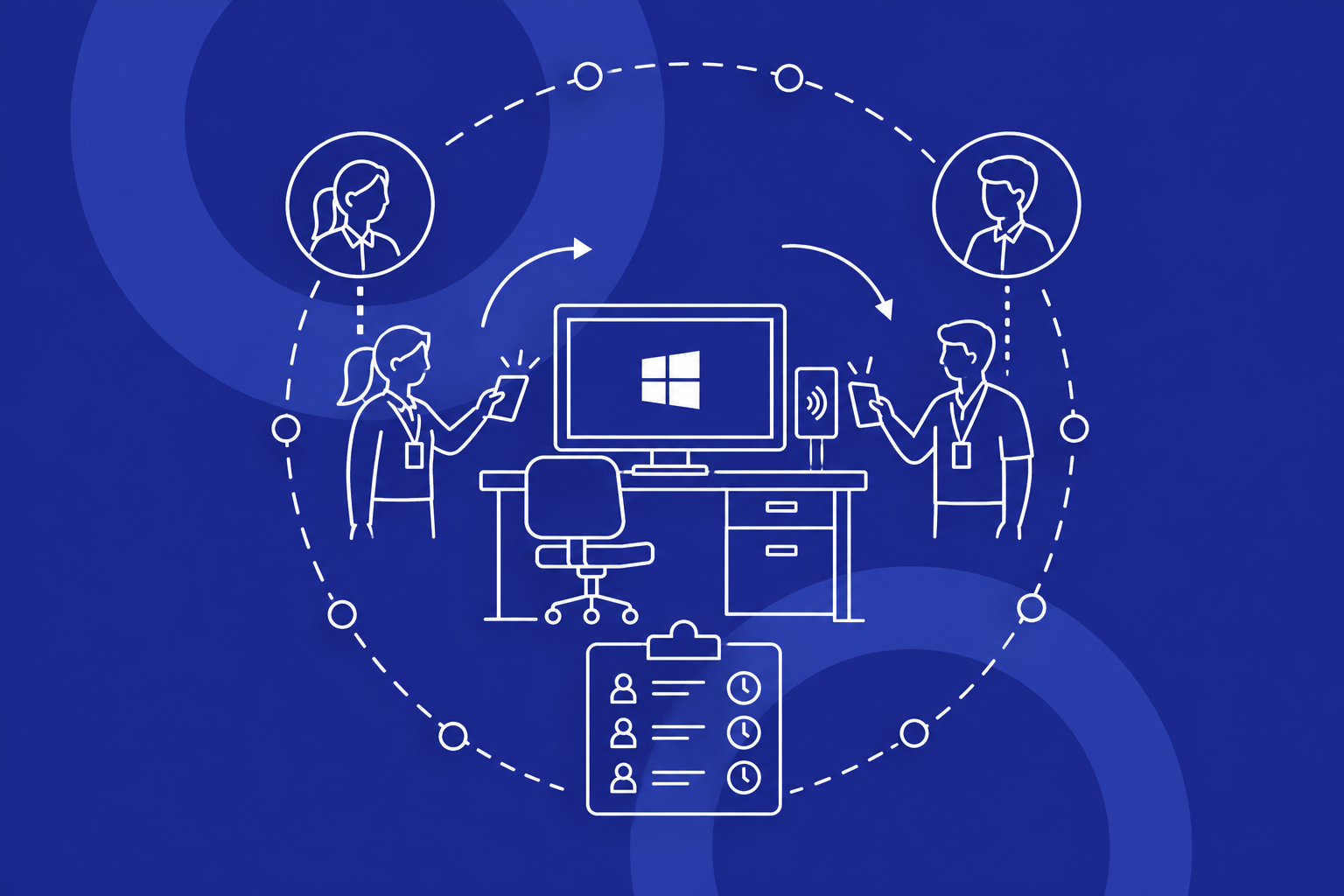
Shared Clinical Device ├─ Clinician A authenticates with approved Credenti method ├─ Clinician B authenticates with approved Credenti method └─ All access events tied to named identities for auditability

Passwordless Authentication Workflow

1. Employee identity originates from the organization’s workforce systems

The existing HR system remains the authoritative source for workforce data and lifecycle events.

2. Devices remain under current endpoint management

The organization’s existing MDM continues to manage device configuration and policy enforcement.

3. Okta defines access policy

Okta sets the authentication requirements, access policy, and MFA posture for shared workstation access.

4. Credenti enrolls an approved passwordless method

Each clinician is associated with an approved method such as badge tap, facial biometrics, or fingerprint biometrics.

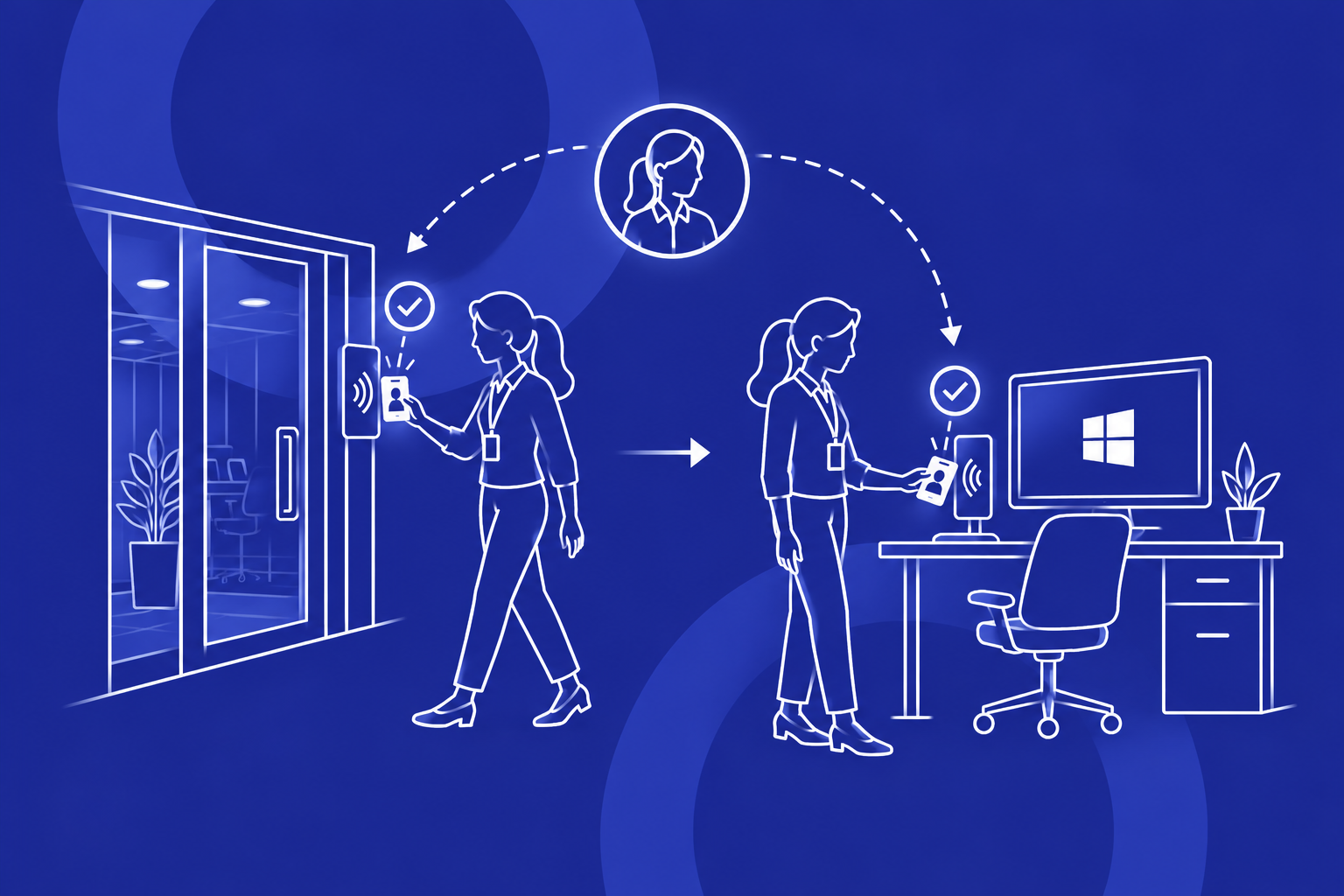
5. User authenticates at the shared workstation

The user signs in with a fast passwordless method instead of typing a password or using a personal phone.

6. Access is granted with identity attribution

The result is a fast, attributable shared-device session tied to the individual clinician identity.

Managing Local Profiles on Shared Microsoft Devices

Healthcare environments often require multiple authorized users on the same device, along with local profiles or other workstation-managed user contexts. Any viable solution must support that reality without forcing changes to clinical workflows.

Credenti is designed to secure access at the workstation layer while preserving the speed and simplicity required for real-world shared endpoint usage.

  • Enable multiple authorized users on a shared device
  • Improve authentication into local or workstation-managed user contexts
  • Preserve rapid clinician switching on shared endpoints
  • Reduce reliance on passwords for workstation sign-in
  • Improve attribution on devices used by many caregivers and staff

Security, Compliance, and Operational Benefits

Passwordless access without phones

Credenti supports tap, face, and fingerprint authentication in environments where phone-based MFA is impractical or prohibited.

Stronger identity attribution

Each access event is tied to a named individual, improving accountability across shared devices.

Better fit for clinical workflows

Fast authentication reduces disruption at nursing stations, intake desks, and other busy care settings.

Protect existing investments

Organizations can keep the HR and MDM tools they already trust while improving access security.

Strategic alignment with Okta

Okta provides a strong long-term identity security foundation for future policy, governance, and access modernization efforts.

Improved healthcare security posture

The model supports stronger authentication, clearer attribution, and more defensible audit trails on shared endpoints.

Deployment Approach

Phase 1 — Environment assessment

Review the current HR system, MDM platform, shared workstation workflows, and user authentication requirements.

Phase 2 — Identity and policy design

Define how Okta will enforce authentication policy and how Credenti will deliver passwordless shared-device access.

Phase 3 — Endpoint rollout

Deploy Credenti on shared Microsoft devices and validate profile handling, clinician switching, and login speed.

Phase 4 — Credential enrollment and pilot

Enroll pilot users with approved passwordless methods and confirm workflow fit, auditability, and operational readiness.

Phase 5 — Broader expansion

Extend to more departments and expand Okta-based identity security capabilities over time.

Why This Approach Fits Healthcare

Healthcare organizations need authentication that is secure, fast, and realistic for frontline environments. The best solution is often not a full-stack replacement. It is a practical architecture that preserves existing systems while adding the missing access layer for shared devices.

  • Keep the HR system already in place
  • Keep the MDM platform already in place
  • Use Okta for strategic identity security and policy control
  • Use Credenti for passwordless shared-device authentication
  • Support no-phone environments and shared workstation realities
  • Improve auditability where individual identity matters

Conclusion

Healthcare organizations do not need to rip and replace their HR or device management stack to modernize authentication on shared workstations. They need a practical way to connect existing workforce systems and device operations with a passwordless access experience that works on the ground.

By combining any existing HR system, any existing MDM platform, Okta, and Credenti, organizations can create a healthcare-ready authentication architecture that supports shared Microsoft devices, no-phone environments, and stronger clinician attribution.

Credenti helps turn existing identity and endpoint investments into a practical passwordless experience using tap, face, or fingerprint authentication—without disrupting frontline workflows.

Turn Your Existing HR and MDM Stack into Passwordless Healthcare Access

Explore how Credenti and Okta can layer passwordless authentication onto shared Microsoft devices while preserving the HR systems and endpoint management platforms your organization already uses.